In Short: Two Systems Working Together
Microsoft Fabric licensing is a combination of two things: capacity licences (the F SKUs - a pool of compute your organisation buys) and per-user licences (Free, Pro, and Premium Per User - which control what individual people can create and share). Almost every licensing question comes down to understanding how those two interact.
This is a licensing guide, not a pricing guide. If you want to know what a Fabric project costs end to end, see our implementation cost guides for the UK, US and South Africa. For how usage is measured and billed once you are running, see how Fabric cost and measurement work.
Looking for prices rather than licence rules? Our Microsoft Fabric pricing guide carries the full F SKU price list, worked budget examples and a Fabric pricing calculator in dollars, pounds and rand. This page covers who needs which licence.
The Capacity Side: F SKUs and Capacity Units
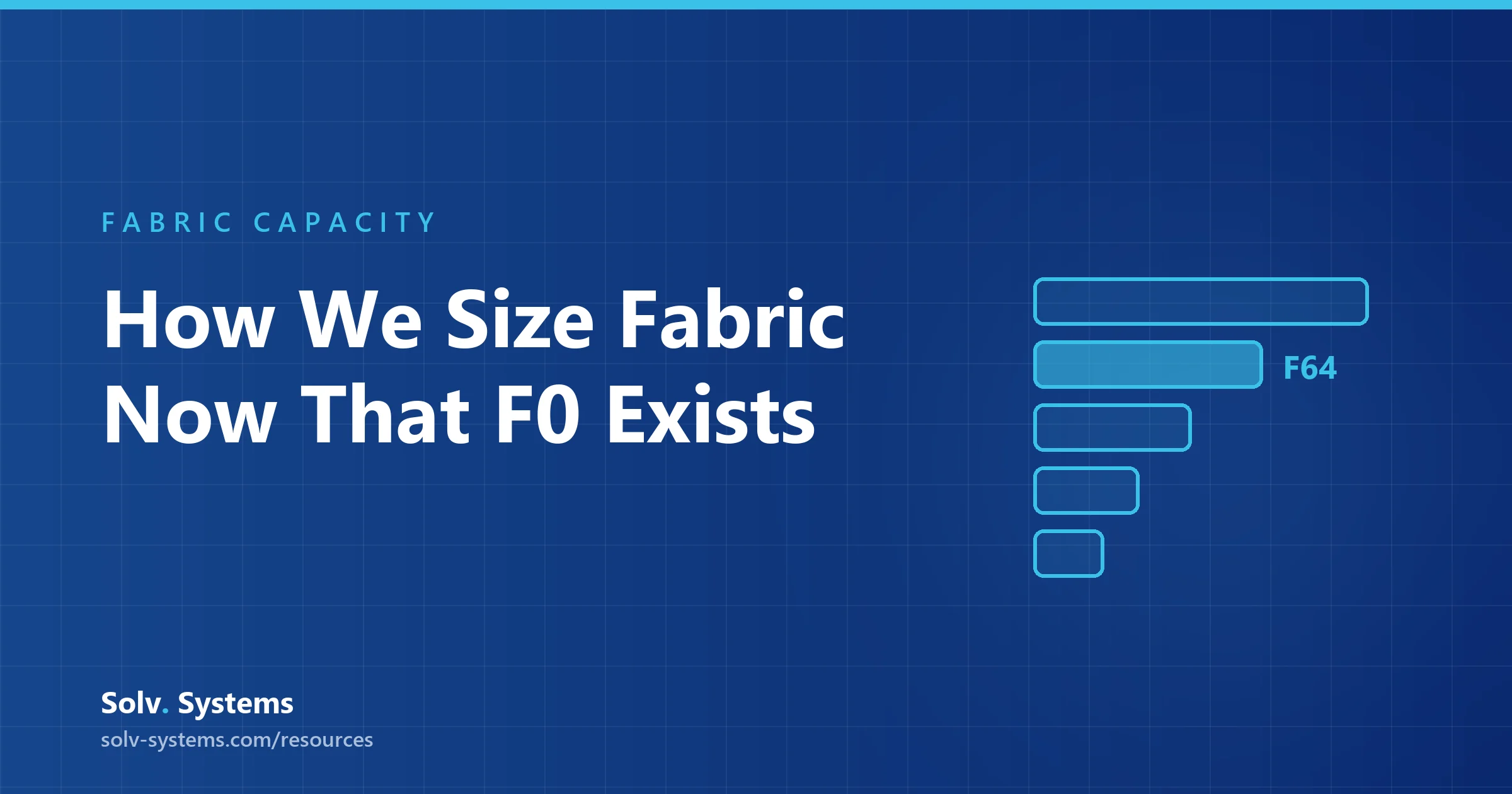
Every Fabric workload - lakehouses, pipelines, warehouses, notebooks, Power BI reports in Fabric workspaces - runs on a capacity. Capacity is sold in F SKUs, from F2 at the small end through F4, F8, F16, F32, F64, F128 and up to F8192 (F4096 and F8192 became generally available in September 2026), with each step doubling the compute.
The number is the SKU's Capacity Units (CUs): F64 gives you 64 CUs, F128 gives you 128. Every operation in Fabric consumes CUs, and consumption is evaluated in 30-second windows - which is why concurrency and refresh schedules matter as much as data volume.
You can buy capacity two ways:
- Pay-as-you-go - billed hourly, and you can pause the capacity when it is not needed. Right for evaluation, development, and spiky workloads.
- Reserved (1-year) - roughly 41% cheaper than pay-as-you-go for the same SKU. Right for steady production workloads you know will run all year.
A common pattern is running production on a reserved capacity and keeping a small pay-as-you-go capacity for development and testing.
Update, 29 September 2026: Microsoft announced a third way to pay for compute at FabCon Europe 2026. On-demand billing will let you move individual billing categories outside a capacity and pay per CU-hour consumed, and a new zero-provisioned F0 SKU has no upfront compute-capacity charge, with on-demand billing on by default. Both are coming soon, in preview in the coming weeks, and pricing has not been published. Microsoft did not announce changes to the per-user licence rules below; see Fabric F0 and on-demand billing explained and our FabCon Europe 2026 recap.
The Per-User Side: Free, Pro, and Premium Per User
Capacity determines how much compute you have. Per-user licences determine what each person is allowed to do:
- Microsoft Fabric (Free) - can create and work with Fabric items (lakehouses, pipelines, notebooks, warehouses) on an organisational capacity, and can view Power BI content on capacities of F64 and above. Cannot publish or share Power BI content.
- Power BI Pro (around $14 per user per month) - required to publish, share and collaborate on Power BI content. Included in Microsoft 365 E5.
- Power BI Premium Per User (PPU) (around $24 per user per month) - Pro plus premium Power BI features for teams that need them without buying a large capacity.
The nuance that surprises most teams: engineers building non-Power BI Fabric items only need the free licence, but anyone publishing Power BI reports needs Pro - regardless of how large your capacity is.
The F64 Threshold: Where Viewer Licences Become Free
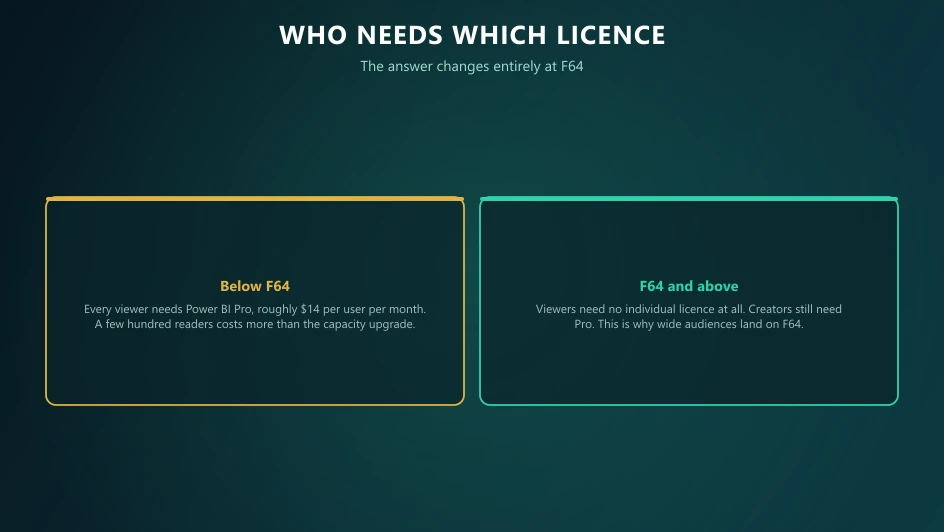
F64 is the most important line in the whole model. On capacities of F64 and above, report viewers no longer need a Pro licence - anyone with a free licence can consume Power BI content. Below F64, every single person viewing shared Power BI content needs their own Pro licence.
This creates a simple break-even calculation: at around $14 per user per month, several hundred viewers cost more per year in Pro licences than the jump to an F64 capacity. Large organisations with wide report audiences almost always land on F64 or above for this reason alone.
F SKUs also replaced the old Power BI Premium P SKUs - organisations still on P1/P2 capacities have been transitioning to the equivalent F SKUs (a P1 maps to F64) as their agreements renew.
Is Microsoft Fabric Free?
Three things are genuinely free; everything else is not:
- The Fabric trial - a 60-day trial capacity for evaluation
- The free per-user licence - creating Fabric items on someone else's capacity, and viewing Power BI content on F64+
- Power BI Desktop - authoring on your own machine costs nothing
What is never free: the capacity your workloads run on, OneLake storage (billed separately per GB per month, at commodity data-lake rates), and Pro licences for anyone publishing or sharing Power BI content.
So "is Fabric free or paid?" resolves to: free to evaluate and author, paid to operate and share.
Three Common Licensing Scenarios
Small team, first deployment
An F2-F8 pay-as-you-go capacity plus Pro licences for the analysts building and sharing reports. Viewers need Pro too at this size - fine when the audience is small.
Mid-market analytics platform
F16-F32 reserved for production. Pro for creators, and a deliberate decision on viewers: if your report audience is growing past a few hundred people, model the F64 jump before renewing licences.
Enterprise estate
F64+ reserved (often multiple capacities to isolate departments or environments), free licences for the viewing population, Pro for creators, and workspace-level governance over who can deploy what to which capacity.
Common Licensing Mistakes
- Buying Pro for everyone on an F64+ capacity - viewers do not need it; that budget is better spent on capacity headroom
- Sizing capacity on data volume alone - CU consumption follows refresh frequency and concurrency, not gigabytes
- Reserving too early - reserve once your production workload pattern is stable, not on day one
- Forgetting OneLake storage - compute and storage are billed separately; storage is cheap but not zero
- Ignoring the pause button - development capacities left running overnight and on weekends quietly burn budget
Getting the Model Right Before You Commit
The licence model rewards organisations that map their real usage first: how many creators, how many viewers, which workloads are production-critical, and what the growth curve looks like. That mapping is exactly what a licensing and capacity review produces - and it is a lot cheaper than discovering mid-year that you reserved the wrong SKU.
Our Microsoft Fabric consultants run these reviews as a standard part of implementation planning. If your organisation only needs reports and dashboards, our Power BI consultants can confirm whether per-user licences alone will cover you. Deciding whether to step up to F64? Our Fabric F64 explainer works through the viewer-licence break-even.
Sources and Further Reading
- Microsoft Fabric licences
- Azure pricing for Microsoft Fabric
- Power BI Premium documentation
- Fabric capacity planning guidance
- Build, deploy, and govern Microsoft Fabric at scale
Frequently asked
Microsoft Fabric licensing combines two elements: a capacity licence (an F SKU - a pool of compute measured in capacity units that your workloads run on) and per-user licences (Free, Power BI Pro, or Premium Per User) that control what individuals can create, share, and view.
Partially. The 60-day trial, the free per-user licence, and Power BI Desktop cost nothing. But running workloads requires a paid capacity (F SKU), OneLake storage is billed separately, and publishing or sharing Power BI content requires a Pro licence. Free to evaluate and author; paid to operate and share.
Capacity starts small with F2 pay-as-you-go and scales up through F8192, with 1-year reservations roughly 41% cheaper than pay-as-you-go. Per-user licences are around $14 per user per month for Power BI Pro and around $24 for Premium Per User. Exact capacity pricing varies by region - check the Azure pricing page for current rates.
Creators publishing or sharing Power BI content always need Pro (or PPU). Viewers need Pro only on capacities below F64 - on F64 and above, anyone with a free licence can view Power BI content, which is the main economic argument for F64 in organisations with large report audiences.
A capacity unit is Fabric's measure of compute. Each F SKU provides its number in CUs (F64 = 64 CUs), every Fabric operation consumes CUs, and consumption is evaluated in 30-second windows - so concurrency and refresh frequency drive usage as much as data size.
P SKUs were the old Power BI Premium capacity licences. F SKUs are their Fabric-era replacement covering the full platform, not just Power BI. A P1 maps to an F64, and organisations on P SKUs have been transitioning to F SKUs as agreements renew.