In Short: What Fabric Capacity Overage Costs
Microsoft announced at FabCon Europe 2026 (29 September 2026) that capacity overage is generally available in Microsoft Fabric. Instead of throttling a capacity that has run out of compute, Fabric pays off the excess and bills it to your Azure subscription. Kim Manis described it as "letting you use additional paid compute with configured spending thresholds and notifications rather than sizing capacity solely for rare peaks."
The price is the part to understand first. Microsoft Learn says Azure bills overage "through a separate meter at three times pay-as-you-go rates", and the Azure pricing page adds that it "is not eligible for reservation discounts." Capacity overage is a safety valve, and an expensive one. For the wider conference picture, see our FabCon Europe 2026 recap.
What Capacity Overage Is
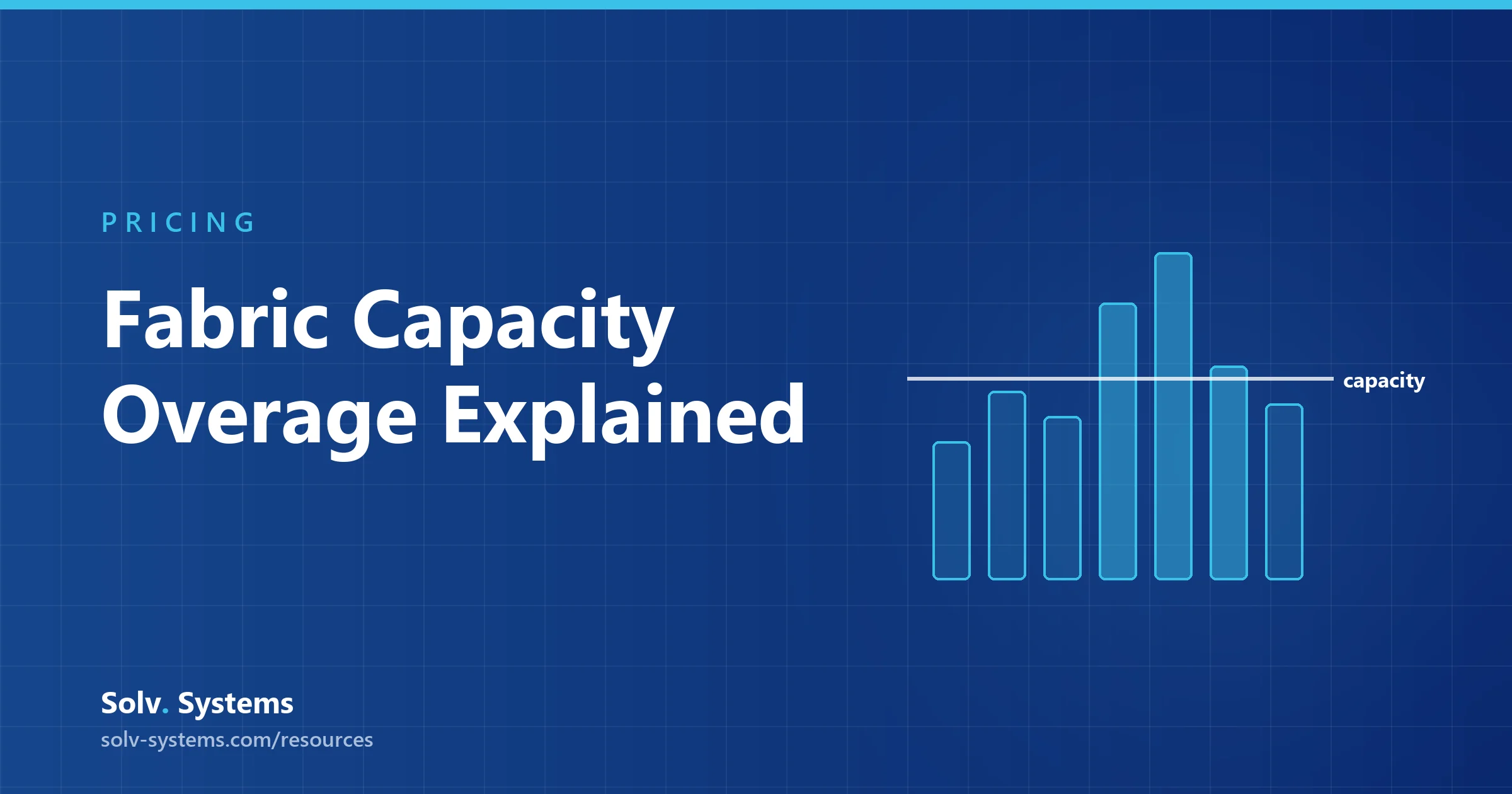
Every Fabric capacity has a fixed amount of compute, measured in Capacity Units (CUs). Smoothing spreads bursts over time; when smoothed demand still exceeds the capacity beyond defined thresholds, Fabric throttles. Our guide to how Fabric measures usage, smoothing and throttling explains the mechanism.
Capacity overage steps in at exactly that point. In Microsoft's words, "when your capacity's smoothed usage exceeds the built-in thresholds, instead of applying delays or rejections, capacity overage automatically reconciles the excess usage by charging your Azure subscription." The documented details:
- Trigger point: when smoothed usage for the next 10 minutes exceeds 100% of the capacity; the cumulative carry forward at that point is billed
- No performance boost: it does not increase SKU size, memory or speed; it only prevents throttling caused by CU exhaustion
- Only the current window: it "doesn't clear your future debt", so a heavily overloaded capacity can stay in overage for long periods
- F SKUs only: capacity overage is available only for F SKUs
How Overage Is Billed
Microsoft Learn is explicit: "Azure bills overage usage through a separate meter at three times pay-as-you-go rates. This rate only applies to CU hours beyond your SKU allowance." There is no standing charge.
The Azure pricing page adds the reservation point: overage "can be applied to pay-as-you-go or reservation capacities, but will be priced relative to the pay-as-you-go price and is not eligible for reservation discounts."
In Azure Cost Management, filter on the meter the Learn page names "Capacity Overage Capacity Usage CU" to see what overage has cost you.
Opt-In or On by Default? Microsoft's Documentation Disagrees
The same Microsoft Learn page says two different things. Its first sentence: "Capacity overage is an opt-in feature that pays for eligible excess capacity usage, up to a rolling 24-hour threshold that the capacity admin sets." A note a few paragraphs later: "Capacity overage is enabled by default when you create a Fabric capacity." The Azure pricing page reads like opt-in too, describing admins who "select specific capacities to enable Fabric capacity overage on."
We are not going to pick one. Either way: check the overage setting on every capacity you run, and record each threshold. A setting you did not know was on is how a surprise line appears on an Azure invoice.
The 24-Hour Threshold Is Not a Hard Cap
Admins control spend with a rolling 24-hour threshold in CU hours, which Fabric checks against processed overage every five minutes. When the threshold is reached, overage stops and throttling resumes until older usage rolls out of the window or you raise the threshold.
Microsoft is careful to call it "a spending threshold, not a hard spending cap." Because of the five-minute evaluation and because running operations continue, charges can exceed it. The following still bill at the overage rate:
- Excess usage that accrued before the capacity entered overage
- Operations that run while the capacity is in overage
- Operations that run for up to five minutes after the capacity reaches the threshold
Quota matters too. Overage thresholds use Fabric quota, and "the required quota equals 1/24th of the threshold you set." Microsoft's example: a 48 CU hour threshold adds 2 CUs to your quota. If available quota cannot support the threshold, you cannot enable overage until you raise the quota or lower the threshold.
Notifications, Monitoring and Controls
Microsoft Learn lists three ways to see overage activity:
- Capacity Metrics app: logs processed overages, CU hours billed and capacity state (active or throttling)
- Azure Cost Management: billed overages over time
- Capacity events in Real-Time Hub: real-time alerting, which can feed Activator to automate actions
On switching it on or off, the Learn overview says only that you can configure overage during capacity creation, or after provisioning through the OneLake catalog or the Admin portal, and that you can update the threshold at any time. Raising it resumes billing if the overload persists; lowering it may cause throttling if processed overage already exceeds the new value. Microsoft also announced Capacity Insights and Actions in Monitor Hub, in preview, for adjusting surge and overage settings from one place. For click-by-click steps, follow Microsoft's "Enable capacity overage" article; these checks belong in any capacity administration routine.
Three documented cautions:
- Enabling overage mid-throttle charges you for all cumulative carry forward at the moment you switch it on
- Scaling down with overage enabled can produce significant overages that are charged automatically
- Overage admits new jobs, including large ones; it works alongside surge protection, and Microsoft suggests a surge protection limit of 100% to stop new background jobs being accepted during background rejection
A Worked Cost Illustration
These figures are illustrative. They use the East US pay-as-you-go rate of $0.18 per CU-hour from our Microsoft Fabric pricing guide and the three-times rate stated on Microsoft Learn. Check your own region's rate before budgeting.
- Overage rate: $0.18 x 3 = $0.54 per CU-hour
- An F64 provides: 64 CUs x 24 hours = 1,536 CU hours a day
- Microsoft's suggested ceiling: keep the threshold below one-third of daily CU hours - 1,536 / 3 = 512 CU hours
- Cost of a full threshold: 512 x $0.54 = $276.48 in a rolling 24 hours, before any overrun past the threshold
- Quota needed: 512 / 24 = about 21.3 CUs
- Compare scaling up for a day: moving F64 to F128 adds 64 CUs x 24 hours x $0.18 = $276.48
The full-threshold cost and the one-day scale-up cost match, which is why Microsoft picks one-third as the point "at which costs are similar to scaling up the SKU." A small spike is cheap: 40 CU hours of overage is 40 x $0.54 = $21.60. But hitting the 512 CU hour threshold every day for 30 days would cost about $8,294 - close to the roughly $8,410 a month the whole F64 costs pay-as-you-go. Run your own SKU and region through the Fabric pricing calculator to find your break-even.
Overage vs On-Demand Billing and F0
Overage is easy to confuse with the other FabCon Europe 2026 billing changes, covered in our post on Fabric F0 and on-demand billing:
- Capacity overage - generally available now. Applies to the whole capacity, only at the point of throttling, on smoothed usage, at a published three times pay-as-you-go rate.
- On-demand billing - coming soon, in preview in the coming weeks. An admin moves individual billing categories outside the capacity; that usage is measured without smoothing and priced as a multiplier of pay-as-you-go that Microsoft has not published.
- F0 (zero-provisioned) - coming soon, in preview. No provisioned compute, with on-demand billing on by default. The overage documentation does not address F0.
Overage protects a capacity you already pay for; on-demand billing and F0 change what you provision.
When Overage Makes Sense, and When to Resize or Reserve
Microsoft's own guidance is to use it "when uptime is critical and you occasionally hit capacity limits", for "rare unexpected spikes or small regular spikes where you don't need to scale up." Our reading:
- Use overage as a safety valve on business-critical capacities, with a threshold well under one-third of daily CU hours and an alert on every activation
- Resize if overage fires most days, you reach the threshold regularly, or you see deep throttling such as background rejection - Microsoft says to scale up in these cases
- Reserve once the larger size is stable: overage is billed at three times pay-as-you-go and never gets the reservation discount of roughly 41%, so sustained load belongs on reserved capacity
- Fix first - an activation is a prompt to find the responsible operations in the Capacity Metrics app, not to raise the threshold
Our capacity sizing guide covers choosing the base SKU; overage covers the days sizing could not predict.
Where Solv Systems Comes In
Our Microsoft Fabric consultants check the overage setting on every capacity in your tenant, set thresholds and alerts from your Capacity Metrics data, and model whether resizing or reserving would cost less than your overage.
Sources and Further Reading
- Capacity overage in Microsoft Fabric - Microsoft Learn
- Microsoft Fabric pricing - Azure
- Build, deploy, and govern Microsoft Fabric at scale
- Enable capacity overage - Microsoft Learn
- Fabric throttling policy - Microsoft Learn
Frequently asked
Capacity overage is a feature that pays for excess capacity usage at the point where Fabric would otherwise throttle, so jobs keep running without delays or rejections. It is billed to your Azure subscription through a separate meter, up to a rolling 24-hour threshold the capacity admin sets. Microsoft made it generally available at FabCon Europe 2026 (29 September 2026).
Microsoft Learn states that Azure bills overage usage through a separate meter at three times pay-as-you-go rates, only for CU hours beyond your SKU allowance, and with no standing charge. The Azure pricing page adds that overage is priced relative to pay-as-you-go and is not eligible for reservation discounts. At the East US pay-as-you-go rate of $0.18 per CU-hour, that works out at an illustrative $0.54 per CU-hour.
Microsoft's own documentation is inconsistent. The Learn overview opens by calling it 'an opt-in feature', and a note on the same page says it 'is enabled by default when you create a Fabric capacity'. Do not rely on either statement: check the overage setting on every capacity you run.
No. Microsoft says the threshold 'isn't a hard spending cap'. Fabric checks processed overage every five minutes, operations already running continue, and operations that run for up to five minutes after the threshold is reached still bill at the overage rate, so charges can exceed the threshold.
No. It does not increase SKU size, memory or speed. It only prevents throttling caused by CU exhaustion; memory, concurrency and other limits still apply. Microsoft advises sizing the SKU for sustained load.
Microsoft recommends keeping the threshold below one-third of your daily CU hours, the point at which overage costs are similar to scaling up the SKU. If you are throttled regularly, reach the threshold often, or run in a deep throttling state such as background rejection, scale up. For steady load, a reservation is cheaper still.