In Short: What Is Microsoft Power BI?
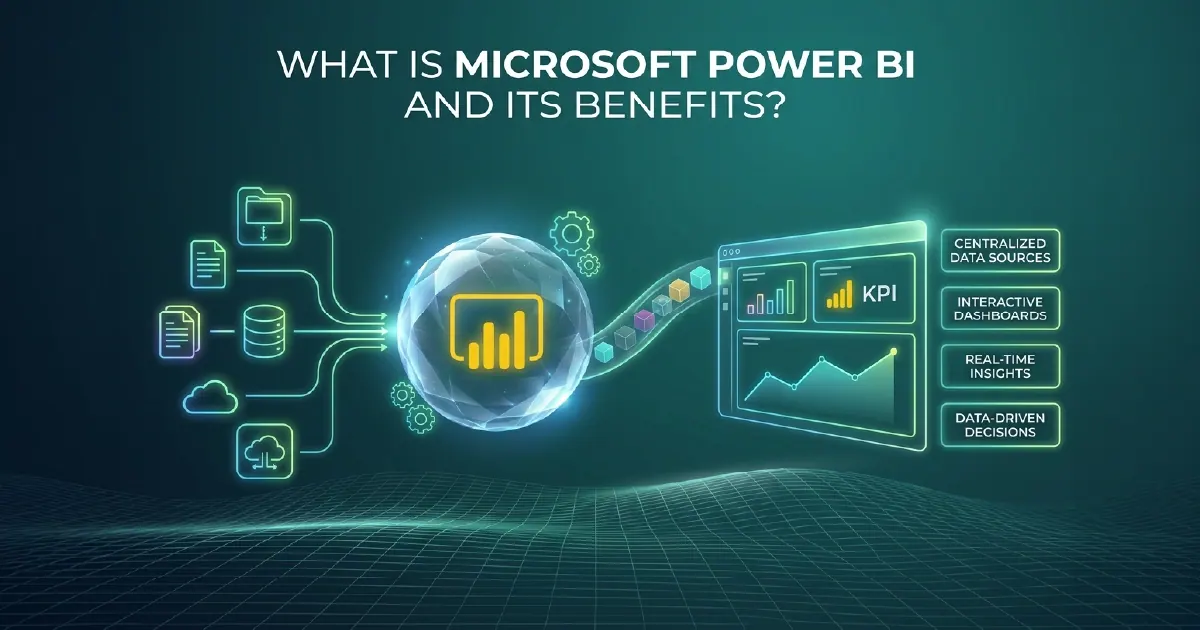
Microsoft Power BI is a business intelligence and data visualisation platform that connects to data sources, transforms and models data, and produces interactive reports and dashboards that business users can explore, share, and act on. It is the world's most widely used BI platform and forms the reporting and visualisation layer of Microsoft Fabric.
If your organisation currently makes decisions based on spreadsheets, static reports, or data that lives in disconnected systems, Power BI is the platform Microsoft has built to change that.
What Does Power BI Stand For?
BI stands for business intelligence: the practice of turning an organisation's data into reports and analysis that people use to make decisions. So the plain-English meaning of Power BI is Microsoft's business intelligence tool - the software that connects to your data, models it, and presents it as interactive reports and dashboards.
The "Power" is a Microsoft brand rather than an acronym. Power BI grew out of a set of Excel add-ins - Power Pivot, Power Query and Power View - before launching as a standalone service in 2015, and the same prefix now runs across the wider Power Platform family: Power Apps, Power Automate and Power Pages.
In day-to-day use, "Power BI" can mean three different things: the Windows authoring tool (Power BI Desktop), the cloud service where reports are published and shared, or the whole platform. The next section breaks those apart.
The Three Components of Power BI
Power BI Desktop
Power BI Desktop is the Windows application where data professionals build data models and reports. It connects to hundreds of data sources - databases, cloud services, flat files, APIs - transforms data using Power Query (M language), defines business logic using DAX (Data Analysis Expressions), and produces .pbix files that can be published to the Power BI service.
Most Power BI development work happens in Desktop. If your organisation has a BI developer or data analyst, they are likely spending significant time here building semantic models and report layouts.
Power BI Service
The Power BI service (app.powerbi.com) is the cloud-hosted platform where reports and dashboards are published, shared, and governed. It handles user access, scheduled data refresh, row-level security, workspace management, and the API layer that connects Power BI to other Microsoft services including Teams, SharePoint, and Microsoft Fabric.
Business users interact with Power BI primarily through the service - viewing reports, exploring data through Q&A natural language querying, and (with Fabric IQ) asking questions through Microsoft 365 Copilot in Teams and Outlook.
Power BI Mobile
Power BI Mobile apps for iOS, Android, and Windows provide optimised report access on mobile devices. For operations, sales, and field teams that need KPIs and operational dashboards on the move, Power BI Mobile provides offline access to key reports and push notifications for KPI threshold breaches.
What Power BI Enables for Your Organisation
Self-Service Analytics
Power BI democratises data access. Business users who previously depended on IT or BI teams to generate reports can build their own data views within the governance guardrails that IT defines. Dataflows handle transformation once centrally; semantic models define business logic; users explore within those governed bounds.
The result is faster access to accurate information across the organisation, with fewer dependencies on BI developers for routine data questions.
Governed Data Sharing
Workspaces, apps, and row-level security allow BI teams to share data-backed reports with precise control over who sees what. A single semantic model can serve a CFO dashboard showing company-wide financials and a regional manager view showing only their territory - governed from one central definition, not from two separately maintained reports.
Real-Time Operational Dashboards
Power BI supports scheduled refresh (data updates on a defined interval) and real-time streaming datasets for dashboards that need live operational data. For manufacturing, logistics, and financial services use cases where dashboards must reflect current operations rather than yesterday's state, Power BI provides the streaming infrastructure to do this within the same platform as your standard reporting.
Power BI and Microsoft Fabric
Power BI is natively embedded in Microsoft Fabric as one of its six workloads. For organisations with Fabric capacity, this integration delivers two significant capabilities:
Direct Lake mode allows Power BI semantic models to query Gold-layer OneLake tables at high speed without importing data or using standard DirectQuery. For datasets where Import mode is impractical (too large or too frequently updated) and DirectQuery is too slow for acceptable report performance, Direct Lake delivers Import-level speed with DirectQuery-level freshness.
Unified governance means that semantic models in Fabric are governed by Microsoft Purview alongside every other Fabric asset. Lineage tracking, sensitivity labels, and access controls apply consistently across the entire data estate - reports, datasets, pipelines, and Lakehouse tables.
Power BI Licensing
Power BI has three primary licence options:
- Power BI Pro ($14/user/month): For sharing and collaboration on standard reports and dashboards. Required for publishing content and for consumers accessing content from Pro-licensed workspaces.
- Power BI Premium Per User ($24/user/month): Adds paginated reports, advanced AI features, larger dataset size limits, and XMLA endpoint access for external tools. For organisations with advanced requirements that do not yet need full Fabric capacity.
- Microsoft Fabric Capacity (F-SKU): Includes Power BI Premium capacity alongside all other Fabric workloads. Best for organisations with significant data volumes, data engineering requirements, or that want Direct Lake and Fabric IQ capabilities.
The Practical Benefits of Power BI
The most consistent benefit organisations report from Power BI implementations is decision speed - the time between data changing and decisions reflecting that change compresses from days or weeks to hours. For sales performance management, operational efficiency tracking, and financial management, this acceleration in the feedback loop has direct business value.
The second consistent benefit is reduction in spreadsheet proliferation - the shadow data landscape of Excel files, personal Access databases, and manually maintained reports that parallel the official BI estate. Power BI governed semantic models give users the self-service flexibility they previously sought through spreadsheets, within a governed, auditable environment.
The third benefit, increasingly relevant in 2026, is AI readiness. Well-structured Power BI semantic models are the foundation for Fabric IQ grounding, Copilot answers, and Fabric Data Agents. An organisation with a mature Power BI estate is positioned to activate Microsoft's AI capabilities without rebuilding its data layer first.
Our Power BI and analytics consulting team works with organisations across the UK, US, and South Africa to design and build Power BI implementations that deliver these benefits from the outset. For a side-by-side of the two main parts, see Power BI Desktop vs Power BI Service.
Sources and Further Reading
Frequently asked
BI stands for business intelligence - turning an organisation's data into reports and analysis for decision-making. "Power" is Microsoft branding rather than an acronym: Power BI grew out of the Power Pivot, Power Query and Power View add-ins for Excel, and the prefix is shared across the Power Platform, including Power Apps and Power Automate.
Microsoft Power BI is used for business intelligence and data visualisation - connecting to data sources, building interactive reports and dashboards, and sharing data-driven insights across an organisation. It is used by data analysts to build models and reports, by BI developers to create governed semantic models, and by business users to explore data and make decisions based on accurate, up-to-date information.
Power BI Desktop is the Windows application where analysts and developers build data models and reports. Power BI Service (app.powerbi.com) is the cloud platform where finished reports are published, shared, and managed. Development happens in Desktop; consumption and governance happen in the Service. Most Power BI deployments use both: Desktop for building, Service for sharing.
Yes. Power BI is one of the six workloads natively embedded in Microsoft Fabric. For organisations with Fabric capacity, Power BI gains Direct Lake mode (high-performance reporting over OneLake data without import) and unified governance through Microsoft Purview. Power BI is also available as a standalone product through Pro and Premium Per User licences for organisations not yet on Fabric.
Power BI Pro costs approximately $10/user/month and covers standard sharing and collaboration. Power BI Premium Per User costs approximately $20/user/month and adds paginated reports, advanced AI features, and XMLA endpoint access. Microsoft Fabric capacity (F-SKUs starting from around $0.18/CU/hour) includes Power BI Premium capacity alongside all other Fabric workloads and is typically the best value for organisations with significant data volumes.
DAX (Data Analysis Expressions) is the formula language used in Power BI to define calculated columns, measures, and calculated tables within a semantic model. DAX is used to express business logic - revenue growth percentages, rolling averages, year-over-year comparisons - that transforms raw data into the governed metrics business users need. Well-designed DAX measures are also the foundation for accurate Fabric IQ grounding and Copilot answers.
A Power BI report is a multi-page document with interactive visuals built from a semantic model - users can filter, drill down, and explore the data. A Power BI dashboard is a single-page canvas of pinned visuals from one or more reports - designed for high-level KPI monitoring rather than exploration. Reports are the primary development artefact; dashboards aggregate key visuals from reports for executive or operational monitoring use.
Power BI connects to hundreds of data sources including SQL Server, Azure SQL, Salesforce, SAP, Oracle, Google Analytics, REST APIs, Excel, SharePoint, Dataverse, and many others through native connectors. For data sources without a native connector, custom connectors can be built using the Power Query M language. Within Microsoft Fabric, Direct Lake mode provides the highest-performance connection for data already in OneLake.