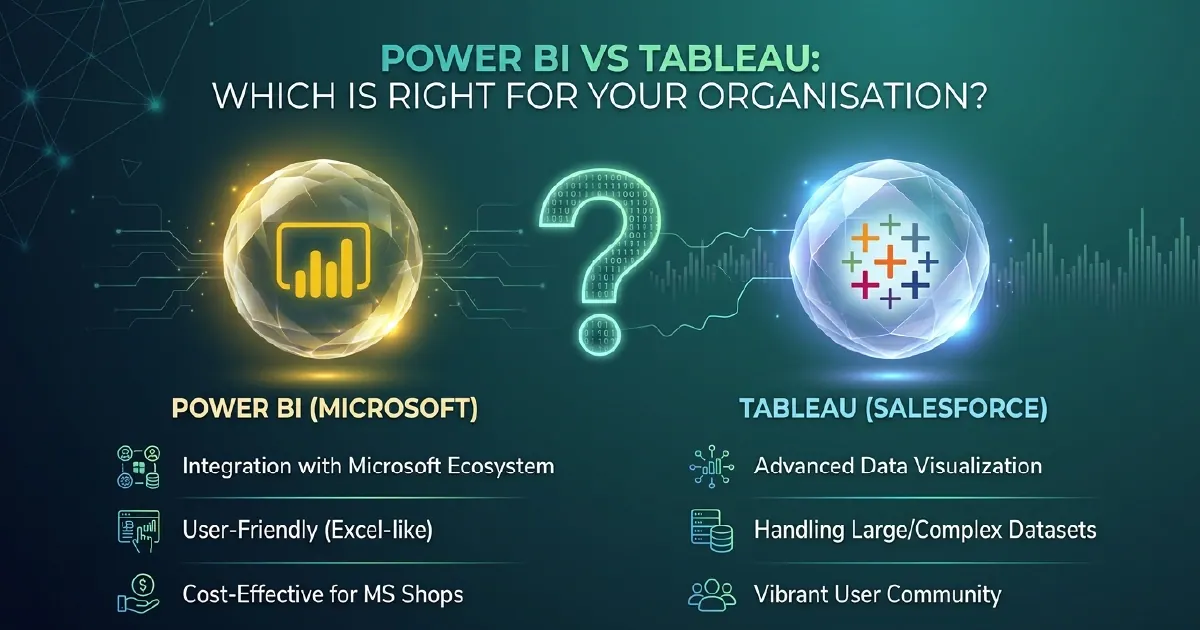
In Short: Both Are Excellent - But They Are Not Interchangeable
Power BI and Tableau are the two most-compared business intelligence tools on the market. Both are capable, both are widely adopted, and both will produce good dashboards in the hands of a skilled analyst. The difference lies in cost, ecosystem fit, learning curve, and where each tool genuinely excels.
If your organisation runs on Microsoft - Microsoft 365, Azure, Dynamics 365, or Teams - Power BI is almost certainly the right choice. If you are in a mixed-vendor environment and your analysts are already skilled in Tableau, the picture is more nuanced.
Cost: A Significant Difference
Cost is often the deciding factor, and here Power BI has a structural advantage.
Power BI Pro is included in Microsoft 365 E5 licences. If your organisation already holds E5, those analysts have Power BI Pro at no additional cost. Power BI Pro as a standalone licence runs at around $14 per user per month, following the price increase from $10 in April 2025.
Tableau Creator licences start at around $115 per user per month. For a team of 20 analysts, that difference is roughly $24,000 per year before infrastructure costs.
The calculation shifts when you account for Power BI Premium or Microsoft Fabric capacity licensing - but even then, the per-user economics of Power BI tend to come out ahead for organisations already invested in Microsoft.
Microsoft Ecosystem Integration
This is where Power BI wins decisively for most enterprise buyers.
Power BI is the reporting layer of Microsoft Fabric. It connects natively to SharePoint, Teams, Excel, Azure Synapse, Dynamics 365, Dataverse, and OneLake. Reports can be embedded in Teams tabs, pinned to SharePoint pages, and exported to PowerPoint with a single click. Sensitivity labels from Microsoft Purview apply automatically. Row-level security integrates with Microsoft Entra groups.
Tableau integrates with Microsoft products - it can connect to Excel, SQL Server, and Azure - but those connections require additional configuration and maintenance. The integration is functional, not native.
If your organisation is consolidating on the Microsoft stack, Tableau creates a persistent integration surface that needs ongoing management. Power BI does not.
Ease of Use and Learning Curve
Power BI Desktop is accessible to analysts with an Excel background. Power Query for data transformation and DAX for measures have learning curves, but there is extensive documentation, a large community, and Microsoft Learn courses covering both. Most analysts are productive within a few weeks.
Tableau has a more intuitive drag-and-drop interface that some analysts find quicker for exploratory analysis. For analysts without a data modelling background, Tableau can feel more immediate.
The honest trade-off: Tableau is often faster to get started with for ad-hoc exploration. Power BI rewards investment in a proper semantic model - which takes more upfront effort but produces more maintainable, governed, and reusable analytics at scale.
For organisations that need enterprise-grade governed analytics - one definition of revenue, consistent KPIs across departments - Power BI's model-first approach is the correct architecture. For teams that need rapid, flexible exploration by technically confident analysts, Tableau has genuine strengths.
Visualisation Capabilities
Tableau has historically been considered the stronger visualisation tool, and that reputation was well-earned. Its chart variety, custom formatting options, and ability to build complex layouts without code gave it a clear edge five years ago.
Power BI has closed the gap significantly. Custom visuals from AppSource, integration with Python and R for statistical charts, and Fabric's expanding visualisation options mean Power BI now covers almost all enterprise use cases. For most business reporting - KPI dashboards, operational reports, executive summaries - the visualisation gap is not a practical concern.
Where Tableau still leads: highly bespoke, pixel-perfect layouts and complex spatial analytics. If your use case demands that level of visual precision, Tableau remains worth the cost premium.
Governance and Security
For enterprise governance, Power BI has the stronger story in 2026.
Microsoft Purview integration brings data cataloguing, lineage tracking, and sensitivity label enforcement across the entire Fabric estate including Power BI. Row-level security integrates with Entra groups. Deployment pipelines, Git integration, and TMDL give teams proper ALM workflows.
Tableau has governance capabilities - Tableau Server and Tableau Cloud both offer certified data sources, lineage, and permissions management. But they operate outside the Microsoft governance perimeter, which means separate policy management and additional administrative overhead in a Microsoft-heavy environment.
When to Choose Power BI
- Your organisation runs Microsoft 365, Azure, or Dynamics 365
- Your analysts have an Excel or SQL background
- You need governed, enterprise-scale analytics with centralised semantic models
- You are moving to or already on Microsoft Fabric
- Cost per user is a significant factor
When to Choose Tableau
- You are in a genuinely mixed-vendor environment with no Microsoft dependency
- Your analysts are already skilled in Tableau and retraining cost is a real constraint
- Your use case demands highly bespoke visualisations or advanced spatial analytics
- You need rapid, flexible exploration rather than model-first governed reporting
Migrating from Tableau to Power BI
Migrations from Tableau to Power BI are increasingly common as organisations consolidate on the Microsoft stack. There is no automated migration - workbooks need to be rebuilt as semantic models and reports. The effort varies significantly depending on the complexity of your Tableau environment.
A phased approach works well: identify your highest-value dashboards, rebuild them in Power BI with a proper semantic model, validate with stakeholders, and retire the Tableau equivalents. Most organisations complete a migration over six to twelve months.
The migration pays off not just in licence savings but in the governance and integration benefits that come from being fully inside the Microsoft ecosystem. A structured assessment of your current Tableau environment - dashboard inventory, data sources, user adoption, complexity scoring - is the right starting point.
Choosing Between Them for Your Own Estate
The tool matters less than the model underneath it. Most organisations that struggle after choosing a BI platform were not let down by the platform - they arrived without agreed metric definitions or a governed semantic layer, and no product fixes that.
If that is where you are, Power BI consulting is the work we do, and why departments end up reporting different numbers covers the background.
Sources and Further Reading
- Power BI documentation
- Microsoft Purview
- Azure pricing for Microsoft Fabric
- Microsoft Fabric documentation
Frequently asked
For organisations on the Microsoft stack, Power BI is almost always the better choice due to native ecosystem integration, lower cost, and Fabric compatibility. Tableau has advantages in advanced visualisation flexibility and for mixed-vendor environments where analysts are already skilled in the tool.
Power BI Pro is included in Microsoft 365 E5 and costs around $14 per user per month as standalone. Tableau Creator starts at around $115 per user per month. For a team of 20 analysts, this represents a difference of roughly $24,000 per year before infrastructure.
Yes, but migration is not automated - reports need to be rebuilt as Power BI semantic models. A phased approach focusing on highest-value dashboards typically takes six to twelve months. The migration delivers savings on licences plus governance and integration benefits from consolidating on Microsoft.
Yes. Power BI reports can be embedded directly in Teams tabs, shared as links that preview in chat, and accessed through the Power BI app in Teams. This integration is native and requires no additional configuration.
Tableau is often considered easier for ad-hoc exploration, particularly for analysts without a data modelling background. Power BI has a steeper initial curve due to DAX, but rewards the investment with more scalable, governed analytics at enterprise scale.
Yes, some organisations run both tools during a transition period. However, maintaining two BI platforms long-term creates governance complexity and additional cost. Most organisations consolidate on one platform within eighteen to twenty-four months.