In Short: Three Modes, One Decision
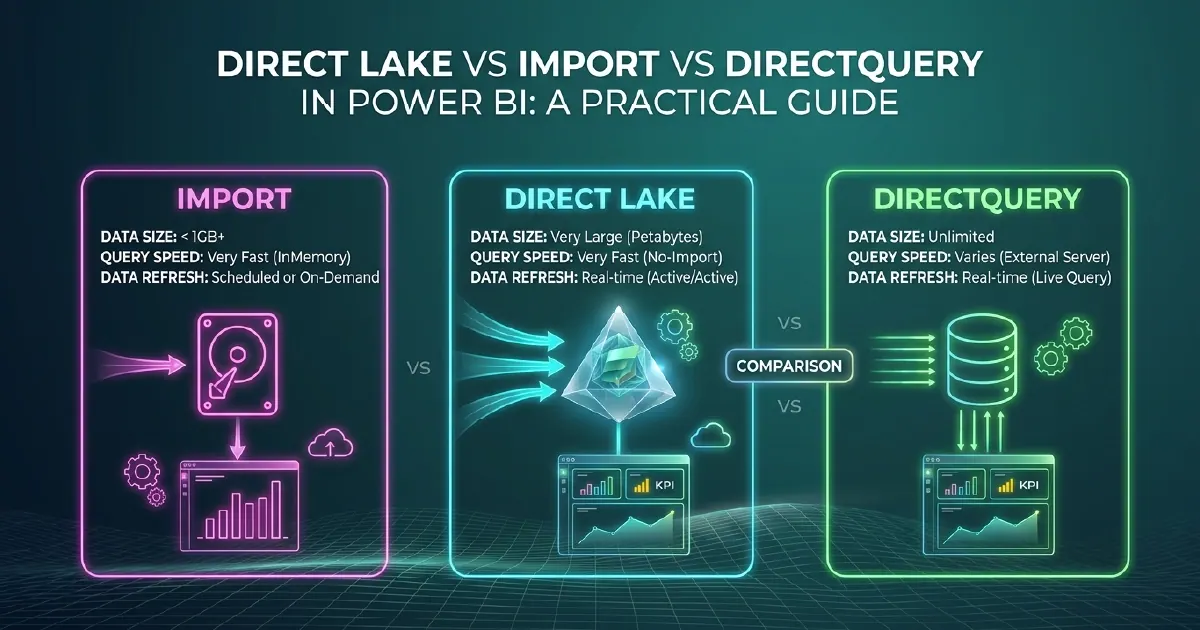
Power BI has three data connection modes: Import, DirectQuery, and Direct Lake. The mode you choose for each semantic model determines how fast reports load, how fresh the data is, and what infrastructure is required. Direct Lake - available exclusively in Microsoft Fabric - changes the calculus significantly for organisations with data in OneLake.
The decision is not always obvious. Many organisations default to Import because it is the mode most tutorials use, and live with the operational overhead of managing scheduled refreshes and dataset size limits. This guide breaks down when each mode is the right choice.
Import Mode
Import mode copies data from the source into Power BI's in-memory VertiPaq engine at refresh time. The semantic model stores a compressed copy of the data in memory.
Performance: The fastest query performance of the three modes. VertiPaq's columnar compression and in-memory execution mean most report interactions complete in milliseconds even on large datasets.
Data freshness: Data is only as current as the last refresh. Standard Power BI Pro allows 8 refreshes per day. Premium capacity allows up to 48 per day. For datasets where hourly or sub-hourly freshness is required, Import mode creates operational overhead.
Size limits: Import datasets are limited to 1 GB in shared capacity, 25 GB in Premium. For large datasets this is a hard constraint.
When to use Import:
- Datasets under the size limit where refresh latency is acceptable
- Historical reporting where data does not change frequently
- Aggregated datasets where source data has already been summarised
- Scenarios where report performance is the primary priority
DirectQuery Mode
DirectQuery does not copy data. Every report interaction generates a query sent to the source system in real time.
Performance: Slower than Import for interactive navigation. Each filter, slicer change, or drill triggers a new query to the source. Performance is bounded by source query latency and concurrency limits.
Data freshness: Always current. Reports always reflect the current state of the source system.
Size limits: None - you are querying the source directly, so data does not need to fit in Power BI memory.
When to use DirectQuery:
- Operational dashboards where sub-hourly freshness is required and Import refresh scheduling is insufficient
- Very large datasets where Import size limits are a hard constraint
- Source systems with robust query performance (well-indexed SQL databases, Fabric SQL endpoints)
- Regulatory scenarios where data must be queried from the authoritative source
The DirectQuery trade-off is real: if the source system is not optimised for concurrent analytical queries, DirectQuery at scale degrades report performance and can impact the source system itself. Direct Lake addresses both problems for organisations on Fabric.
Direct Lake Mode
Direct Lake is available only for semantic models in Microsoft Fabric workspaces pointing at OneLake data. It combines Import-level query performance with DirectQuery-level data freshness - without the scheduled refresh cycle of Import or the per-query overhead of DirectQuery.
How Direct Lake Works
Direct Lake reads data directly from Parquet files in OneLake using Delta Lake transcoding. Instead of copying data into VertiPaq at refresh time (Import) or querying the source per interaction (DirectQuery), Direct Lake loads column segments from OneLake into memory on demand - maintaining a warm cache without a full data copy.
When new data arrives in OneLake, the semantic model updates its in-memory segments incrementally rather than running a full refresh. The result is near-real-time freshness without refresh scheduling overhead or Import size limitations.
Direct Lake Performance
Query performance is comparable to Import for most report interactions because data is served from in-memory column segments. The first query after new data arrives may be slightly slower as new segments load, but subsequent interactions are Import-speed.
Direct Lake Constraints
Direct Lake requires:
- Microsoft Fabric capacity (F-SKU) - not available on Power BI Premium (P-SKU) or shared capacity
- Semantic models based on OneLake tables (Lakehouse or Warehouse Gold layer)
- Delta format tables in OneLake
If a query exceeds Direct Lake's in-memory capacity limits, the model automatically falls back to DirectQuery - behaviour called "fallback." Fallback can be monitored and minimised through capacity sizing and efficient model design.
How to Choose: A Decision Framework
Are you on Microsoft Fabric with data in OneLake? Start with Direct Lake. It delivers Import performance with near-real-time freshness. Only fall back to Import or DirectQuery if Direct Lake constraints apply.
Not on Fabric, or data is not in OneLake?
- Freshness requirement under 30 minutes: DirectQuery if the source can handle the query load
- Freshness requirement of 30 minutes or more: Import with scheduled refresh
- Dataset over Import size limits: DirectQuery, or pre-aggregate to reduce size before Import
Mixed mode (composite): Semantic models can combine Import tables for high-volume aggregated data with DirectQuery or Direct Lake tables for detail-level or high-freshness data. This adds model complexity but is appropriate where a single mode cannot meet all requirements.
Our Power BI consulting team and Microsoft Fabric practice advise on query mode architecture as part of semantic model design and Fabric implementation work.
The Fabric Argument for Direct Lake
Direct Lake is arguably the strongest argument for consolidating your data estate in Microsoft Fabric. Organisations running Import mode with complex refresh schedules - managing incremental refresh policies, handling refresh failures, coordinating pipelines with refresh windows - can eliminate that operational overhead entirely by moving their Gold layer to OneLake and switching to Direct Lake.
The trade-off is Fabric capacity cost. But for organisations already considering Fabric for data engineering and AI workloads, the elimination of Import refresh complexity is a meaningful additional benefit that reinforces the platform decision.
Sources and Further Reading
- Direct Lake overview
- DirectQuery in Power BI
- Import mode data reduction guidance
- Fabric Real-Time Intelligence
Frequently asked
Direct Lake is a Power BI data connection mode available exclusively in Microsoft Fabric. It reads Delta Parquet files from OneLake into memory on demand, delivering Import-level query performance with near-real-time data freshness - without the scheduled refresh cycles of Import mode or the per-query latency of DirectQuery.
Import mode delivers the fastest interactive query performance because data is fully loaded into VertiPaq's in-memory engine. Direct Lake is comparable to Import for most queries. DirectQuery is the slowest because each report interaction generates a live query to the source system.
DirectQuery performance is bounded by source system query latency and concurrency limits. Report interactions are slower than Import, and at scale, concurrent DirectQuery queries can degrade both report performance and source system performance. DAX expression support is also more limited in DirectQuery than in Import or Direct Lake.
Yes. Direct Lake requires a Microsoft Fabric capacity (F-SKU) and semantic models built on OneLake tables in Delta format. It is not available on Power BI Premium (P-SKU) workspaces or shared capacity.
Yes - this is called composite mode. A semantic model can combine Import tables for high-volume stable aggregated data with DirectQuery or Direct Lake tables for high-freshness or very large detail data. Composite mode adds complexity to model design and testing but is appropriate when a single mode cannot meet all requirements.
Fallback is the automatic behaviour where a Direct Lake semantic model reverts to DirectQuery mode when a query exceeds the in-memory capacity available for that model. Fallback is logged and can be monitored through Fabric monitoring tools. Minimising fallback requires appropriate Fabric capacity sizing and efficient semantic model design.