In Short: What Is Microsoft Foundry Agent Service?
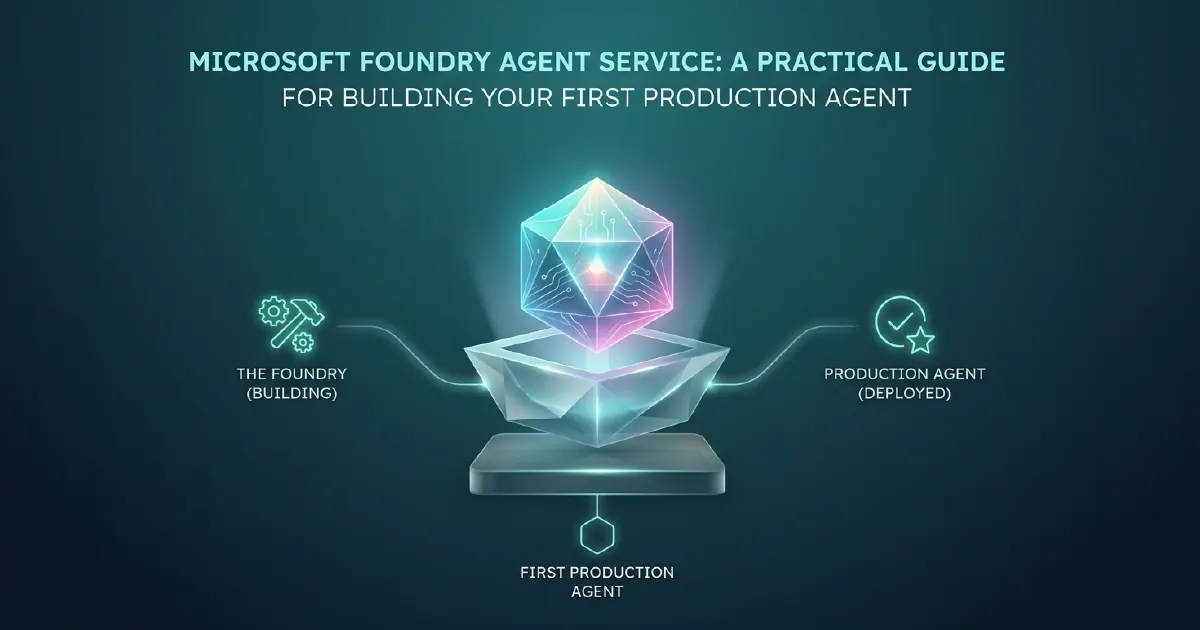
Microsoft Foundry Agent Service is the production-grade platform within Microsoft Foundry (formerly Azure AI Foundry) for building, deploying, managing, and orchestrating AI agents at enterprise scale. It provides the runtime, tooling, memory management, model integration, and observability infrastructure that agent applications need to operate reliably in production - as opposed to the prototype-grade implementations that work in a notebook but fail under real workloads.
If you are building AI agents that need to operate over real business data, integrate with enterprise systems, run reliably at scale, and be auditable and governable, Foundry Agent Service is the platform Microsoft has built for that purpose.
What Makes an Agent "Production-Grade"?
The distinction between a prototype agent and a production agent is not intelligence - it is reliability, observability, security, and manageability. A prototype agent that demonstrates a capability in a controlled demo environment fails in production because:
- It has no persistent memory management - context is lost between sessions
- It has no retry logic or error handling - a single tool call failure breaks the entire workflow
- It has no access controls - any authenticated user can invoke it with any input
- It has no observability - you cannot see what the agent reasoned or why it took a specific action
- It cannot scale - adding concurrent users degrades performance unpredictably
Foundry Agent Service addresses each of these failure modes directly. It is not an AI model; it is the infrastructure layer that makes AI agents enterprise-ready.
Update, 8 October 2026: The service has filled out considerably since we first wrote this guide:
- Generally available: Hosted Agents (July), which run agents built with your preferred framework in Foundry's managed runtime; Toolboxes, which give an agent one MCP-compatible endpoint while Foundry manages tool credentials; and Routines (24 September), which run agents on a schedule, after a delay or on events from systems such as GitHub and Teams - see our guide to Foundry Routines
- Public preview: voice agents in 80+ languages, long-running resilience with durable checkpoints, and Insights in Foundry, which analyses production traces for recurring issues
- Preview: network egress controls that set where hosted agents may send outbound requests, with an audit mode before blocking
- Governance: Foundry agents now honour block, disable, delete, restore and change-of-owner actions taken in Microsoft Entra and Agent 365
The Architecture of Foundry Agent Service
Agent Runtime
The agent runtime manages the execution loop - the cycle of receiving a user message, selecting and invoking tools, processing results, and generating the next response or action. Foundry provides a managed runtime that handles concurrency, session isolation, and error recovery so you do not have to implement these at the application layer.
Tool Integration
Agents are only as useful as the tools they can call. Foundry Agent Service provides a first-class tool framework covering:
- Built-in tools: Code interpreter, file search, Bing web search, Azure AI Search
- Function tools: Custom functions you define that the agent can call - REST APIs, database queries, business logic
- Microsoft 365 tools: Calendar, email, Teams, SharePoint - enabling agents to interact with the Microsoft productivity stack
- Fabric tools: Direct integration with Microsoft Fabric data assets, allowing agents to query OneLake tables and semantic models
The quality of your tool design is the single biggest determinant of agent usefulness. Poorly designed tools - unclear descriptions, inconsistent schemas, missing error handling - produce unreliable agents regardless of model quality.
Memory Management
Foundry provides three memory layers:
- In-context memory: The conversation history the agent has access to within a single session. Managed automatically by the runtime.
- Thread memory: Persistent conversation history stored across sessions, allowing agents to remember prior interactions with a specific user or workflow instance.
- Vector store memory: Semantic search over documents, knowledge bases, and structured data. Foundry integrates with Azure AI Search for this layer, enabling agents to retrieve relevant context from large document stores without fitting everything into the context window.
Orchestration and Multi-Agent Patterns
Complex agent tasks benefit from decomposition - multiple specialised agents working together rather than one agent attempting everything. Foundry supports:
- Sequential orchestration: Agent A completes a task and passes its output to Agent B
- Parallel orchestration: Multiple agents work on different subtasks simultaneously, with an orchestrator combining results
- Hierarchical orchestration: A planning agent decomposes a goal into subtasks and delegates to specialised execution agents
These patterns are relevant for enterprise workflows where a single-agent approach would require an unmanageably large context or would fail to specialise effectively.
Building Your First Production Agent: The Five Key Decisions
1. Define the Agent's Scope Precisely
The most common mistake in agent development is defining scope too broadly. An agent that "handles customer enquiries" will fail. An agent that "classifies incoming support tickets, retrieves the three most relevant resolution articles from the knowledge base, and drafts a suggested response" can be built, tested, and improved systematically.
Define the agent's scope in terms of specific inputs, specific outputs, and specific tools it is allowed to call. Start narrow. Expand scope only after the narrow version is working reliably.
2. Select the Right Model Tier
Different tasks require different model capabilities - a framework we set out in choosing models in Microsoft Foundry. Foundry's catalogue now spans OpenAI's GPT-6 family, Anthropic's Claude models including Claude Opus 5.5, Microsoft's MAI models and open-source options. The choice affects both capability and cost:
- Complex reasoning and agentic work (multi-step analysis, software engineering, computer use) suits a frontier model such as GPT-6 Astra or Claude Opus 5.5
- General-purpose production workflows suit a mid-tier model such as GPT-6 Sol
- Routing, classification, extraction and summarisation at volume can use a model built for high-volume work, such as GPT-6 Luna, at much lower cost
Our GPT-6 in Microsoft Foundry guide compares the three GPT-6 tiers.
Most production agents use a tiered model strategy: a cheaper model for initial processing and routing, a more capable model only when the task requires it. Our AI agent cost guide puts real numbers against the full stack.
3. Design Tools for Reliability
Each tool the agent can call should have:
- A clear, unambiguous description that the model uses to decide when to call it
- A well-typed, consistent input schema
- Explicit error responses (not silent failures or ambiguous HTTP 500 responses)
- A timeout and retry policy at the tool layer
Test each tool independently before testing the agent end to end. Tool failures are the most common source of agent failures in production.
4. Define the Memory Strategy
Decide upfront what the agent needs to remember and at what scope:
- Per-session context only → in-context memory is sufficient
- Cross-session user history → configure thread persistence
- Retrieval over a knowledge base or document store → configure an Azure AI Search vector store and connect it as a tool
Memory design decisions affect both capability and cost. Thread persistence adds storage cost. Vector store retrieval adds search latency. Size these to the actual need, not the maximum theoretical need.
5. Instrument for Observability
Production agents without observability are unmanageable. Foundry Agent Service integrates with Azure Monitor and Application Insights to provide:
- Tool call traces - what the agent called, with what parameters, and what it received back
- Model turn logs - what the model was given and what it generated
- Latency and error metrics - where failures concentrate and where performance degrades
Instrument your agent from the first deployment. The data you collect in early production will inform every subsequent improvement iteration.
Connecting Foundry Agents to Microsoft Fabric
The most valuable enterprise agents operate over real business data. Microsoft Fabric provides the governed data foundation that Foundry agents can query, and the combination of the two is where the most practical enterprise value is created.
Foundry agents can access Fabric data through:
- Direct Lake semantic model queries - for governed business metrics and KPIs
- OneLake file and table access - for raw and processed data at the Gold layer
- Fabric Data Agent integration - for agents that need to trigger Fabric-native workflows as part of their action repertoire
Organisations with well-governed Fabric estates - clean medallion architecture, properly structured semantic models - can deploy Foundry agents that reason over real, governed business data from day one. Organisations without that foundation spend their agent development budget on data plumbing rather than intelligence.
What Production Readiness Looks Like
A production Foundry agent typically requires:
- Defined scope document with explicit in-scope and out-of-scope tasks
- Tool library with tested, documented functions
- Evaluation framework - a test set of input/expected output pairs to measure quality before deployment
- Human-in-the-loop escalation path for cases the agent cannot handle confidently
- Monitoring dashboard with alerts on error rate, latency, and unexpected tool call patterns
- Rollback plan - the ability to revert to a prior agent version if a deployment degrades quality
Foundry's own evaluation tooling now covers much of the evaluation item above: a rubric evaluator, traces-to-dataset and Agent Optimizer, covered in how to evaluate AI agents in Foundry and Copilot Studio.
Getting from prototype to this standard typically takes four to eight weeks for a well-scoped single-agent deployment. Multi-agent orchestration with Fabric integration adds complexity and should be planned over a longer horizon.
Our AI Solutions team designs and builds production Foundry agents grounded in your Fabric data estate and integrated with your existing business workflows. If you are evaluating your first agent deployment, we are happy to give you a realistic view of scope, timeline, and cost.
Sources and Further Reading
- What's new in Microsoft Foundry, July-August 2026 (Microsoft Foundry Blog)
- Ship agents faster with expanded model choice, voice agents and continuous optimization (Microsoft Azure Blog)
- Routines in Microsoft Foundry are now generally available (Microsoft Foundry Blog)
- Azure AI Foundry
- Fabric data agents
- Microsoft Copilot Studio documentation
Frequently asked
Microsoft Foundry Agent Service is the production-grade platform within Azure AI Foundry for building, deploying, and operating AI agents at enterprise scale. It provides the agent runtime, tool integration framework, memory management layers (in-context, thread, and vector store), multi-agent orchestration patterns, and observability infrastructure that agents need to operate reliably in production.
Azure OpenAI Assistants is the foundational API layer for stateful agent interactions. Foundry Agent Service builds on top of this with enterprise-grade capabilities: richer tool integration (including Microsoft 365 and Fabric tools), multi-agent orchestration patterns, deeper Microsoft identity and governance integration, and production observability through Azure Monitor. Foundry Agent Service is the enterprise wrapper; the Assistants API is the underlying primitive.
Foundry Agent Service supports built-in tools (code interpreter, file search, Bing web search, Azure AI Search), custom function tools (any REST API or business logic you define), Microsoft 365 tools (calendar, email, Teams, SharePoint), and Microsoft Fabric tools (OneLake queries, semantic model access). The quality and clarity of tool definitions is the primary determinant of agent reliability in production.
Foundry agents connect to Fabric data through custom function tools that query Fabric semantic models via the XMLA endpoint or REST APIs, through direct OneLake file and table access using the OneLake data access APIs, or through Fabric Data Agent integration for agents that need to trigger Fabric-native workflows. Organisations with well-governed Fabric estates can deploy agents that reason over real business data from day one.
Multi-agent orchestration in Foundry Agent Service involves multiple specialised agents working together on complex tasks: a planning agent decomposes a goal into subtasks, specialised execution agents handle each subtask, and an orchestrator combines results. Foundry supports sequential (A hands off to B), parallel (A and B run simultaneously), and hierarchical (planner delegates to executors) orchestration patterns.
Foundry Agent Service costs are driven primarily by model token consumption (prompt tokens and completion tokens per agent turn), tool call execution costs (code interpreter and file search have per-session fees), and thread storage for persistent memory. Using model tiering - cheap models for routing and classification, capable models only for complex reasoning - is the most effective cost optimisation strategy. We have published a detailed guide on AI agent cost modelling for 2026.
A well-scoped single-agent deployment - defined scope, tested tool library, evaluation framework, monitoring, and rollback plan - typically takes four to eight weeks. Multi-agent orchestration with Fabric data integration adds complexity and should be planned over a longer horizon. The most common cause of extended timelines is poorly defined scope at the start, not technical difficulty once scope is clear.