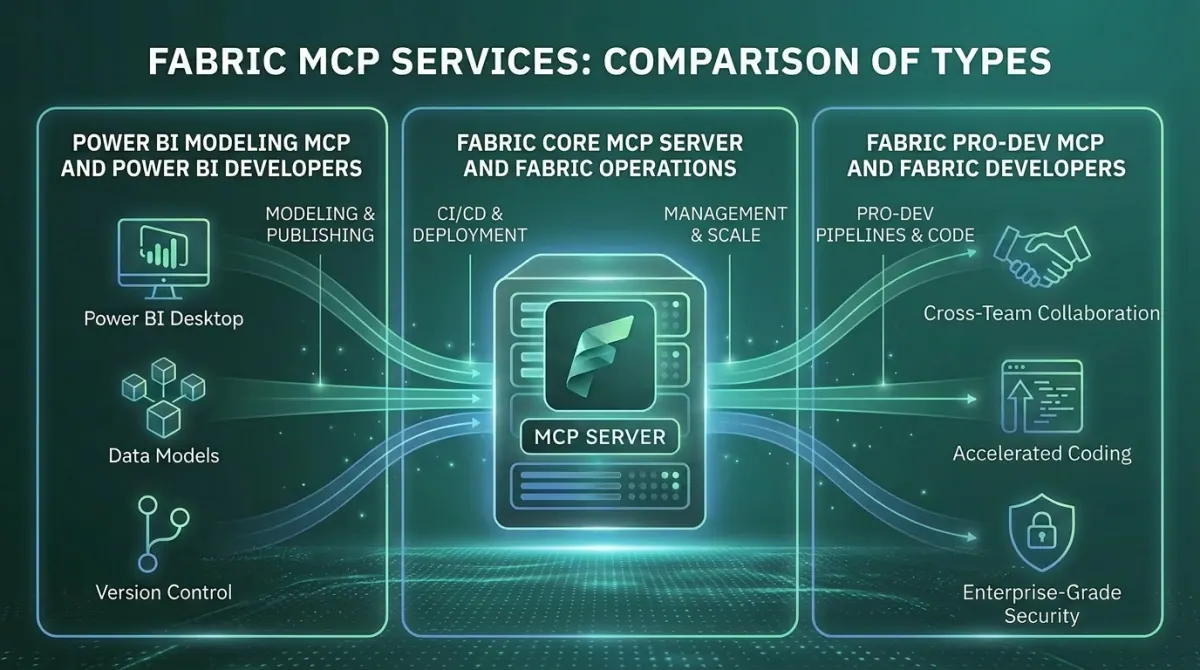
In Short: What Are the Fabric MCP Servers?
Microsoft has shipped four distinct Model Context Protocol capabilities for Microsoft Fabric. Each one solves a different problem. Together, they make Fabric an agentic data platform.
The Fabric Pro-Dev MCP Server grounds AI coding assistants in Fabric's API surface so generated code actually works. The Fabric Core MCP Server lets AI agents perform real operations against your Fabric tenant: workspaces, items, permissions, capacities. The Fabric RTI MCP Server gives AI agents access to live Eventhouse, Eventstream, and Activator data through natural language. Fabric Data Agents as MCP Servers turn published data agents into reusable enterprise capabilities other AI systems can call.
This article explains what each one does, when to reach for it, and why a serious agentic strategy on the Microsoft data stack uses all four.
If you are weighing up what this means for your own estate, our Microsoft Fabric consulting services and implementation cost guides for the UK, US and South Africa are a practical starting point.
Why Microsoft Built Four Servers, Not One
Most organisations encountering MCP for the first time assume a single Fabric MCP would have been simpler. It would. It also would have been wrong.
The four servers exist because they solve four genuinely different problems for four genuinely different audiences. Bundling them would have produced a server that was either too narrow for production agents or too broad for safe use against live tenants. The split is deliberate.
The four problems, in plain terms:
- A developer writing code against Fabric needs accurate API documentation embedded in the agent's context, not stale training data. That is the Pro-Dev problem.
- An administrator or platform engineer needs an agent that can actually create workspaces, manage permissions, and operate on items. That is the Core problem.
- A data analyst or operations engineer needs an agent that can query live real-time data without writing KQL by hand. That is the RTI problem.
- A business user across the AI estate needs governed, trustworthy answers to data questions, regardless of which AI surface they happen to be using. That is the Data Agents problem.
These are not the same problem. A single server would have compromised all of them. Four well-designed servers solve each one cleanly and compose into something more powerful than any single tool.
The Four Servers, In Detail
Fabric Pro-Dev MCP Server
- What it is - A local MCP server that runs as a subprocess on the developer's machine. Open source. Generally available.
- What it does - Packages the full Fabric REST API specification, JSON schemas for every item type, OneLake data operations, and Microsoft's recommended best practices into MCP tools an agent can call at code-generation time. The agent reads from the actual current API surface, not a memory of what it looked like during training.
- When to use it - When developers are building on Fabric: notebooks, pipelines, custom items, deployment automation. The Pro-Dev server raises the floor on what AI-generated Fabric code actually does.
- Why it matters - Fabric's API surface evolves faster than any model training cycle. Without Pro-Dev, AI-generated Fabric code drifts from current reality in subtle ways. With Pro-Dev, the agent generates code that works on the first run.
- Status - Generally available. Recommended for production use.
Fabric Core MCP Server
- What it is - A cloud-hosted MCP server published by Microsoft. Public preview.
- What it does - Exposes Fabric's administrative surface as MCP tools: workspaces, items, permissions, folders, capacities. Each tool maps directly to a Fabric REST API operation. Authentication runs through Entra ID. RBAC is enforced. Audit logs capture every operation under the user's identity.
- When to use it - When you need an AI agent to actually do something to your Fabric tenant. Provisioning a new workspace, attaching a capacity, adding users with the right roles, auditing folder structures, listing items, moving items between folders.
- Why it matters - Building an agent that can "just create a workspace" used to require a full OAuth 2.0 stack, token refresh handling, async operation polling, and rate-limit logic. The Core MCP eliminates that plumbing. For consultancies, MSPs, and platform teams managing Fabric estates at scale, this changes the economics of repeatable work.
- Status - Public preview. Features and configuration may change before general availability.
Fabric RTI MCP Server
- What it is - A local Python MCP server (installed from PyPI) and a Microsoft-hosted Eventhouse Remote MCP Server, configured per KQL database. Both in public preview.
- What it does - Exposes Real-Time Intelligence operations as MCP tools: natural language to KQL, schema discovery, sample data retrieval, Eventstream management, Activator trigger creation, Map item operations. Includes a built-in KQL Copilot Skill with deep KQL expertise: time-window discipline, join behaviour, datetime pitfalls, memory-safe query patterns.
- When to use it - When teams need to ask questions of live data in Eventhouse, Azure Data Explorer, or Eventstreams. Operational dashboards, anomaly investigation, incident triage, IoT telemetry analysis.
- Why it matters - KQL is powerful and unfamiliar. Most data professionals never learn it. The data flowing into Eventhouse is historically reachable only by a small group of specialists. RTI MCP breaks that bottleneck - anyone who can describe a question can now get an answer from real-time data.
- Status - Public preview, active development. Local server is open source on GitHub. Remote server expanding capability rapidly.
Fabric Data Agents as MCP Servers
- What it is - A configuration on a published Fabric Data Agent that exposes the agent itself as a Model Context Protocol server. Public preview.
- What it does - Makes a Data Agent available as a single MCP tool that other AI systems can invoke. The agent's description becomes the tool description orchestrating systems read to decide when to call it. Identity, RLS, CLS, and Purview all continue to apply at query time.
- When to use it - When a Fabric Data Agent needs to be consumed beyond Fabric: inside a Copilot Studio agent, inside a Foundry agent, inside VS Code in agent mode, inside any custom MCP client.
- Why it matters - This turns a Fabric Data Agent from a destination users visit into a building block any AI system can compose with. The investment in instructions, source descriptions, and example queries stops paying back only inside Fabric and starts paying back everywhere AI touches data in the business.
- Status - Public preview. VS Code is the officially supported client today; Copilot Studio and Foundry integrations are working and well-documented.
How They Compose Together
The strategic value of the Fabric MCP stack is not in any single server. It is in the combinations.
A developer in VS Code with GitHub Copilot can configure all four. The agent has access to Fabric API specifications through Pro-Dev, can perform real operations through Core, can query live data through RTI, and can ask the published Sales Data Agent for governed business answers through Data Agents as MCP. A single conversation can investigate an incident, query the live data, generate a diagnostic notebook, create the Activator trigger to catch a recurrence, and update the relevant workspace. The boundaries between tools become invisible. The agent picks the right one for each step.
A Microsoft Foundry agent embedded in a customer service application uses Data Agents as MCP for governed sales-and-billing answers, the Core MCP to look up workspace metadata when needed, and a custom CRM tool to take the resulting action. The Foundry agent handles orchestration. Each MCP server handles its specialism.
A Copilot Studio agent for an internal team uses Data Agents as MCP for the data-heavy questions and the Core MCP for the operational ones, with Microsoft Graph MCP added for user resolution. The same end-user gets a single conversational experience backed by three servers doing distinct work.
This compositional pattern is the point. Each server is sharp on its specific job. The combination is what gives an AI agent real capability against a Microsoft data estate.
The Strategic Point Most Organisations Miss
The Fabric MCP stack is not four features. It is one coordinated architecture for AI agents working against Microsoft data.
Most organisations encountering these capabilities for the first time treat them as a menu. Pick the one that solves an immediate problem, ignore the rest, revisit later. This works in the short term and breaks down quickly.
The pattern that actually scales is treating MCP as the integration architecture for the entire AI estate. Decide which agents need which capabilities. Configure the right combinations. Build prompt libraries, agent descriptions, and operational standards that compound across the stack. Treat the data agent description as carefully as you would treat an API contract, because in a multi-MCP world, that is exactly what it is.
The organisations that adopt this framing get something that looks materially different from a few AI features bolted onto Fabric. They get an agentic data platform where AI moves naturally between development, operations, real-time data access, and governed business answers - all with consistent identity and audit. The organisations that adopt one server at a time get capabilities that work but do not compound.
Who Will Get the Most From the Fabric MCP Stack?
This is most relevant for organisations that:
- Already operate, or plan to operate, on Microsoft Fabric as their primary data platform
- Have engineering, analytics, and business teams that would benefit from AI agents accessing data and operations through natural language
- Want governance and identity to remain consistent across all AI consumption paths
- Are building, or planning to build, multi-agent applications using Microsoft Foundry, Copilot Studio, or custom AI applications
- Have the engineering discipline to design and maintain the prompts, agent descriptions, and operational standards that make MCP useful at scale
Organisations new to Fabric, or with no governed data layer yet, should focus on getting the data layer right first. The MCP stack multiplies the value of a well-built Fabric estate. It does not create that value from scratch.
Why Work With Solv Systems on the Fabric MCP Stack?
At Solv Systems, we help organisations design and adopt the right combination of Fabric MCP servers for their actual workflows, not just enable a feature list.
Architecture Before Configuration
We start with which agentic workflows your organisation needs and work backwards to the MCP servers, prompt libraries, and agent descriptions required to support them. Configuration without architecture produces capabilities nobody uses.
The Right Stack for the Job
Each Fabric MCP server has a sharp purpose. We help your team understand which combinations apply to which workflows, and which servers to leave out for which scenarios. Adding more is not always the right answer.
Governance Across the Stack
We integrate MCP usage into your existing Entra, Purview, and Fabric governance framework. The security boundary travels with the user's identity, and the architecture should reinforce that, not work around it.
Connected to the Broader AI Strategy
The Fabric MCP stack is one part of an AI strategy that also includes Microsoft Foundry for custom agents, Microsoft 365 Copilot for productivity AI, and Power BI MCP servers for the BI layer. We help your team design how these layers connect into a coherent operational practice.
Explore the Fabric MCP Series
Each server in the stack has its own deep dive:
- What the Fabric Pro-Dev MCP Server Means for Fabric Developers
- What the Fabric Core MCP Server Means for Fabric Operations
- What the Fabric RTI MCP Server Means for Real-Time Intelligence
- What Exposing a Fabric Data Agent as an MCP Server Means for Enterprise AI
- What the Power BI Modeling MCP Server Means for BI Developers
- What Is Microsoft Fabric's Remote MCP Server?
Putting This Into Production
Running MCP servers against a governed Fabric estate is straightforward. Getting the estate governed enough to be worth querying is the actual project.
That is the work we do - see Fabric platform engineering, and for the background, agent and automation delivery.
If you would like a straight assessment of where your estate stands, book a free 30-minute consultation.
Sources and Further Reading
Frequently asked
No. Each one delivers value on its own. The compounding effect comes when an agentic workflow benefits from more than one. For most serious deployments, that is the typical case.
That depends on the audience. For development teams building on Fabric, start with Pro-Dev. For platform teams operating Fabric at scale, start with Core. For analyst teams working with real-time data, start with RTI. For organisations with existing Data Agents that need to be consumed beyond Fabric, start with Data Agents as MCP.
Pro-Dev is generally available. Core, RTI, and Data Agents as MCP are in public preview. Microsoft is iterating on them rapidly, with general availability expected to follow over the coming quarters.
Any MCP-compatible client. The most common setups are VS Code with GitHub Copilot, Claude Desktop, Cursor, and Microsoft 365 Copilot. Custom MCP clients in Foundry agents and Copilot Studio agents are also fully supported.
Not new ones. Each server uses Entra ID for authentication and respects existing RBAC, RLS, CLS, and Purview policies. An agent calling these servers cannot do anything the user could not already do directly. The right concern is making sure your existing governance is in good shape, because the MCP layer makes any gaps more visible.
The Fabric MCP servers are the data and operations capabilities. Foundry and Copilot Studio are the agent platforms that consume them. A Foundry agent building a multi-step workflow typically calls one or more Fabric MCP servers as tools. The MCP standard is what makes the combinations work without custom integration code.
The Power BI Modeling MCP lets agents build and modify semantic models. The Power BI Remote MCP lets agents query published models. Most teams using the Fabric MCP stack seriously will end up using one or both Power BI MCP servers as well. They serve adjacent concerns and compose naturally.