In Short: Fabric Data in Teams and Outlook
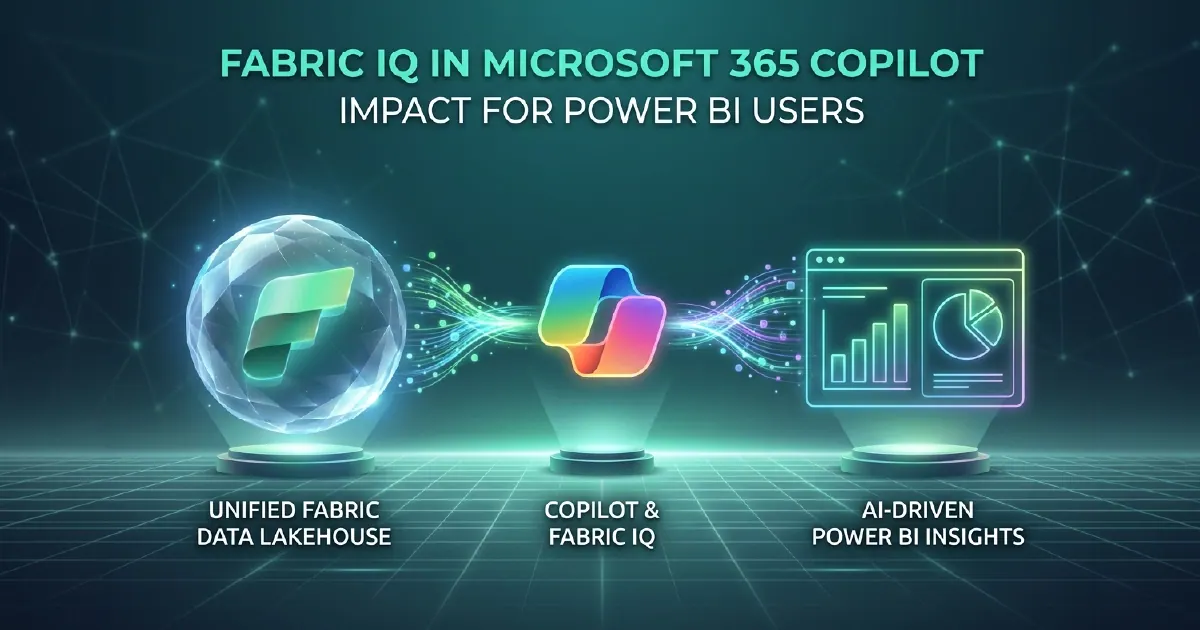
Fabric IQ is the semantic foundation over your structured business data - one of the four pillars of Microsoft IQ, announced at Build 2026 and now generally available. It unifies three things: your data in OneLake, business meaning from your Power BI semantic models, and operational intelligence expressed as ontologies. Agents and Microsoft 365 Copilot ground themselves in that foundation, which is how a business user in Teams or Outlook gets governed, accurate answers from your data without opening a Power BI report.
For Power BI users specifically, Fabric IQ changes the consumption model: instead of logging into Power BI to check a metric, business users can ask Copilot in Teams or Outlook a question in plain language and get an answer sourced from the same semantic model that powers your reports.
What Fabric IQ Is (and Is Not)
Fabric IQ is not a new data store and not a reporting product. It is the business-context layer of the Microsoft IQ family: a shared semantic foundation that agents and Copilot consult when a question touches structured business data, resolving it against your specific, published semantic models and ontologies rather than against the model's training data.
The important distinction from general Copilot responses is governance. Grounding through Fabric IQ does not approximate an answer from training data. It queries your specific semantic model - the one your BI team built, with your defined measures, your RLS rules, and your sensitivity labels applied. The answer a business user gets from Copilot via Fabric IQ is the same answer they would get from the equivalent Power BI report, filtered to their authorised data access.
What Changes for Business Users
The immediate change is the elimination of the "log into Power BI to check the number" step. Business users with a specific question can ask it in Teams, get a governed answer, and continue their workflow without context-switching to a BI tool.
Update, 29 September 2026: Microsoft announced at FabCon Europe 2026 (29 September 2026) that Fabric IQ in Microsoft 365 Copilot Chat and Copilot Cowork is generally available. Copilot infers which Power BI report or semantic model is right for the question, and in Cowork, Power BI content takes part directly in long-running, asynchronous tasks; Microsoft says Copilot customers get these insights from Fabric "without additional AI token costs". Integration with the new Copilot Code experience is coming soon through the Frontier programme, and the Fabric IQ MCP server is now generally available for development environments and external MCP clients. More in our FabCon Europe 2026 recap.
For executives and senior decision-makers who use Power BI primarily to look up specific numbers rather than to explore data in depth, Copilot via Fabric IQ is a more natural interaction model than opening a report. A CFO asking "What was our Q2 EMEA gross margin versus budget?" gets an accurate answer in the Teams conversation they are already in.
Fabric IQ also generates chart summaries - natural language explanations of what a Power BI visual shows, including trend interpretation and anomaly callouts. For users who receive a Power BI report in an email and need a quick summary before a meeting, these summaries reduce the time to insight without requiring the user to open and interpret the visual themselves.
What Changes for Power BI Report Builders
Fabric IQ creates a direct feedback mechanism between semantic model quality and business user experience that standard report usage never created.
When business users ask Copilot questions and receive answers from your semantic model, the quality of those answers depends entirely on measure naming clarity, relationship correctness, and metadata completeness. A measure named "Rev_adj_v3" will not be matched correctly to a user asking about "adjusted revenue." A measure named "Adjusted Revenue" with a clear description will be.
Fabric IQ is, in this sense, a forcing function for the semantic model quality discipline that BI best practices have always recommended but business reality rarely enforced. Report builders will see, through direct user feedback, when their model naming is ambiguous or their relationship structure produces incorrect query results.
What Changes for BI Architects
Fabric IQ changes the query profile of semantic models. Models that previously served visual interactions in Power BI reports will increasingly serve conversational query traffic through Copilot - a different access pattern with different performance characteristics.
Architects need to ensure models optimised for report interactions are also optimised for the question-and-answer interaction pattern of Copilot. Direct Lake mode is particularly important here: it provides the query performance needed to serve Copilot responses with acceptable latency for conversational interactions.
Row-level security configuration also becomes more visible. With standard report access, incorrect RLS typically shows up as a support ticket ("I can't see region X"). With Fabric IQ, incorrect RLS shows up as Copilot producing incorrect or incomplete answers to data questions, which may not be immediately identified as an access control problem.
Ontologies get easier to build as well. Microsoft announced a new agentic experience for creating Fabric IQ ontologies from semantic models, OneLake data and other context documents, and ontology authors can now bind Power BI DAX measures into an ontology so established metrics are reused rather than redefined. Microsoft's posts do not attach a preview or general availability label to these ontology features, so check the ontology documentation before planning around them.
Prerequisites for Fabric IQ
To get full Fabric IQ capability through Microsoft 365 Copilot:
- Microsoft Fabric capacity (F-SKU) - required for Direct Lake and the Fabric IQ semantic layer
- Microsoft 365 Copilot licences - required for Teams and Outlook Copilot interface access
- Published Power BI semantic models in Fabric workspaces with appropriate sharing and discovery settings
- Semantic model quality - measures named in business language, relationships correctly defined, RLS configured accurately
Organisations with well-governed Fabric estates and mature semantic models can activate Fabric IQ and see value immediately. Organisations without those foundations will surface their data quality and governance gaps through Copilot responses more visibly than any internal audit would.
Preparing Your Semantic Models for Fabric IQ
The step-by-step playbook is in our guide to preparing semantic models for Copilot and AI agents; the Fabric IQ specifics below build on it.
The preparation sequence before activating Fabric IQ:
First, audit published semantic models for measure naming quality. Every measure a business user might ask about should have a name recognisable without knowledge of the underlying data model.
Second, verify that RLS is correctly configured on every model that Fabric IQ will query. Test RLS with representative users from different roles before activating Copilot access.
Third, enable Fabric IQ in the Microsoft 365 Admin Centre and conduct structured testing with a representative set of questions from actual business users. Real user questions are consistently different from the questions BI teams predict they will ask.
Our Power BI consulting team and Fabric implementation practice prepare semantic models and Fabric estates for Fabric IQ activation as part of Power BI and Fabric engagement work.
Sources and Further Reading
- Copilot in Fabric overview
- Direct Lake overview
- Row-level security in Power BI
- Bringing governed analytics into the flow of work: Fabric Analytics at FabCon Europe 2026 (Microsoft)
Frequently asked
Fabric IQ is the semantic foundation over structured business data - one of the four pillars of Microsoft IQ, generally available since Build 2026. It unifies OneLake data, Power BI semantic models and ontologies so Copilot and agents can ground themselves in governed business context. It allows business users to ask data questions in plain language through Copilot and receive governed, accurate answers sourced from your Power BI semantic models - with all existing row-level security and sensitivity labels applied.
Yes. Microsoft 365 Copilot licences are required to access Fabric IQ through Teams and Outlook. You also need Microsoft Fabric capacity (F-SKU) for the Rayfin intelligence layer and Direct Lake mode. Fabric-native Rayfin interactions (within the Fabric portal itself) do not require Copilot licences.
Yes. Fabric IQ routes questions to your specific semantic models and applies all existing security configurations - row-level security, column-level security, and sensitivity labels - to every query. A user asking Copilot a question via Fabric IQ receives answers filtered to their authorised data access, the same as they would in a Power BI report.
No. Power BI reports remain the primary interface for structured data exploration, trend analysis, and visual storytelling. Fabric IQ adds a conversational layer for direct data questions - answering specific queries in natural language rather than requiring users to navigate to a report. The two complement each other: reports for exploration, Fabric IQ for targeted questions.
Fabric IQ's answer quality is directly proportional to semantic model quality. Measures should be named in plain business language (not technical identifiers), descriptions should explain what each measure represents, relationships should be correctly defined, and RLS should be accurately configured. Poor semantic model quality produces ambiguous or incorrect Fabric IQ responses - making Fabric IQ activation a practical forcing function for semantic model quality improvement.