In Short: What is a Fabric Data Agent and why build one?
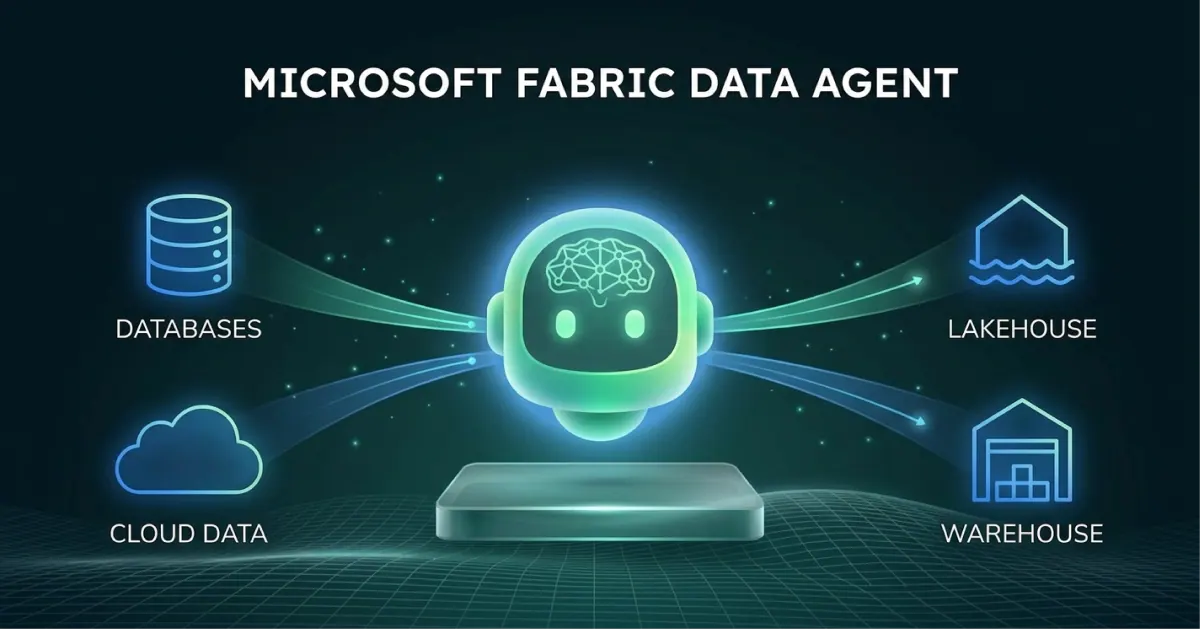
A Fabric Data Agent is a published, governed conversational layer over your Microsoft Fabric data: Lakehouse, Warehouse, Power BI semantic model, KQL database, ontology, or mirrored database. Users ask questions in plain English. The agent translates the question into SQL, DAX, or KQL, runs it under the user's own identity, and returns a structured answer.
It went generally available at FabCon Atlanta in March 2026. If you have a Fabric capacity and a clean data layer, you can build a useful one in an afternoon. The hard part is not the build - the hard part is the data prep that makes the answers trustworthy.
What Problem Does a Data Agent Solve?
The bottleneck in most data organisations is not query writing. It is the queue.
Business users have a question. They wait for an analyst. The analyst opens Power BI or writes some SQL. The answer arrives a day later. By then, the decision has either been made without data or has stopped mattering.
A Fabric Data Agent compresses that loop. A user asks the question directly. They get an answer in seconds, governed by the same Row-Level Security, Column-Level Security, and Microsoft Purview policies that already protect the data. The analyst is no longer the routing layer for every basic question.
That is the value. It is not about replacing analysts - it is about routing the easy questions away from them so they can focus on the harder ones.
What You Need Before You Start
A Fabric Data Agent has a small set of hard prerequisites:
- A paid Fabric capacity - F2 or higher, or a Power BI Premium per Capacity (P1 or higher) with Fabric enabled. Trial capacities work for evaluation.
- The right tenant settings enabled - Fabric Data Agent must be on in the admin portal. Cross-geo processing and storing for AI must be enabled if your tenant requires it.
- At least one supported data source - A Lakehouse, Warehouse, Power BI semantic model, KQL database, mirrored database, or ontology. You can add up to five sources per agent in any combination.
- Read access to the source - Every interaction runs under the user's Entra ID. The agent does not bypass permissions; it inherits them. If a user cannot see a table, the agent cannot show them rows from it.
If any of these are missing, the build will not start. Most first-time issues are tenant settings, not capacity.
How to Build Your First Data Agent
The mechanical build is straightforward.
- Create the agent - In your workspace, select + New Item, search for Fabric data agent, and give it a name that describes what it answers questions about. "Sales Performance Q&A" is better than "Sales Agent v1".
- Add a data source - Open the new agent, go to + Data sources in the left pane, and select your Lakehouse, Warehouse, or semantic model. For a Lakehouse, select which tables to expose. Be selective - every additional table gives the agent more surface area to reason over.
- Test in the chat pane - Ask three or four questions a typical user would ask. Start with something like "what was total revenue last quarter" and see what the agent does. The first few results will tell you everything you need to know about your data layer.
- Configure agent-level instructions - This is where most of the value lives. We cover it in the next section.
- Publish - Once the agent answers reliably, publish it. This creates a read-only version that can be shared while you continue to refine the draft.
How to Configure It Well
Steps 1 to 3 take twenty minutes. Configuration is where the difference between a useful agent and a frustrating one is decided.
A Fabric Data Agent has three layers of configuration that actually matter.
Agent-level instructions
A structured prompt that tells the agent its objective, which sources to prioritise, what business terminology means, and how to format responses. Microsoft's recommended format covers Objective, Data sources, Key terminology, Response guidelines, and Handling common topics. Treat this as the agent's job description.
Data source descriptions
Every source you add gets a description. The agent uses these to decide which source to query for a given question. Generic descriptions force the agent to guess. Specific descriptions - "transaction-level retail sales by store, day, and SKU; use this for any question about revenue, units sold, or store performance" - let it route correctly.
Example queries
For each source, you can supply example natural-language questions paired with the correct query. Five well-chosen examples per source will outperform fifty mediocre ones. Pick examples that cover the structural patterns of your data: joins, filters, time windows.
For larger subject areas, Microsoft announced Topics in preview at FabCon Europe 2026: subject-specific guidance of up to one million characters per supported data source, organised into sections such as sales, inventory or customer retention. The agent retrieves only the sections relevant to the question, while data source instructions remain the place for rules that must apply to every query.
The agent reads schema and column names directly. If your tables are named tbl_dim_cust_v3 and your columns are cust_id_pk, the agent will struggle. If they are named customers and customer_id, it will not. Invest in clear naming once, benefit everywhere.
How to Publish and Share
Once published, there are four meaningful ways to put the agent in front of users:
- Copilot in Power BI - The simplest path. Users already in Power BI can interact with the agent without leaving the report experience.
- Microsoft Teams - The agent can be surfaced through Microsoft 365 Copilot in Teams, putting it directly in the tool users live in. Our data agents vs Copilot guide covers when to lean on each.
- Microsoft Foundry Agent Service - If you are building a multi-agent application, the Fabric Data Agent can be added as a tool to a Foundry agent. Foundry handles orchestration; Fabric handles the data query.
- Custom applications - Through the Fabric Data Agent SDK, you can integrate the agent into your own internal tools, with identity passthrough so end users only see what they are entitled to see.
In all cases, sharing the agent does not share access to the data. Users still need their own permissions on the underlying source.
Update, 29 September 2026: Microsoft announced at FabCon Europe 2026 that Fabric data agents are now generally available in Microsoft Copilot Studio, a further route to users alongside the four above. Interactive charts in answers (line, bar, column, pie, scatter and area) and MCP Tasks support for the data agent MCP server are generally available. In preview: up to 1,000 rows per answer in the preview runtime (previously 25), an ontology as a context source, and thumbs up or down feedback from Microsoft 365 Copilot users flowing back to creators through the SDK. More in our FabCon Europe 2026 recap.
Update, 8 October 2026: The Copilot Studio route works differently from the preview. Microsoft's general availability post (2 September 2026) explains that a Fabric data agent is no longer added from the Agents category as a connected agent: in Copilot Studio you select Add a tool, search for Fabric and choose Fabric IQ Data MCP, and the orchestrator then calls the data agent like any other tool. The data agent still runs in Fabric and respects permissions on the underlying sources, and the Copilot Studio agent can be published to Teams and Microsoft 365 Copilot. Our step-by-step guide to Fabric data agents in Copilot Studio walks through the setup.
The Strategic Point Most Organisations Miss
A Fabric Data Agent is not really an AI feature. It is a semantic modelling and governance exercise wearing AI clothing.
Organisations that treat it as "switch on the AI and let it answer questions" end up with an agent that hallucinates joins, confuses revenue with margin, and gets retired within a quarter. The build was cheap. The cleanup of the wrong answers it generated is not.
Organisations that treat it as the consumption layer for a properly governed semantic model - with clear naming, well-described sources, curated example queries, and appropriate RLS - end up with something users actually trust and use. The agent becomes the front door to the data estate.
The investment is not in the agent. It is in everything underneath it. If your medallion architecture is solid and your Gold layer is well-modelled, a Data Agent is a small step. If it is not, the agent will surface every weakness in your data layer back to your users in plain English.
Who Will Get the Most From a Fabric Data Agent?
This is most relevant for organisations that:
- Already have a governed Lakehouse, Warehouse, or semantic model in Fabric
- Have a clear set of repeatable business questions that analysts answer over and over
- Want to give business users self-service access without compromising governance
- Are building toward a broader agentic strategy and need the data layer ready for it
Organisations still consolidating onto Fabric, or with substantial data quality issues at the Silver or Gold layer, should fix that first. The agent will only ever be as good as what it sits on top of.
Why Work With Solv Systems on Fabric Data Agents?
At Solv Systems, we build Fabric Data Agents that answer questions correctly the first time, not the third.
Data Layer First
We start with the semantic model and Gold layer, not the agent. If the foundation is wrong, no amount of prompt engineering fixes it.
Configuration That Reflects the Business
We work with your team to capture the actual terminology, edge cases, and routing logic that make answers usable - not just technically correct.
Governance Built In
We design the agent within your existing Purview, RLS, and CLS framework so security is enforced by the data layer, not by the prompt.
Adoption, Not Just Build
We measure success by whether business users actually use the agent six months after launch. That means user training, feedback loops, and iteration on instructions and example queries.
Sources and Further Reading
- Fabric data agents
- Row-level security in Power BI
- Microsoft Purview
- Fabric September 2026 Feature Summary (Microsoft)
Frequently asked
The agent itself is included in your Fabric capacity. It consumes Capacity Units like any other Fabric workload. Heavy usage on a small capacity will compete with your other workloads, so capacity sizing matters.
You need at least F2, or a P1 or higher Power BI Premium capacity with Fabric enabled. A Fabric trial capacity works for evaluation.
No. It only sees data the user asking the question is permitted to see. RLS, CLS, and Purview policies are honoured at query time.
Microsoft-managed Azure OpenAI Assistant APIs. You do not supply or manage an API key. The model used for the agent's NL2SQL is separate from any orchestration model in Foundry, if you integrate that way.
Up to five, in any combination of Lakehouse, Warehouse, semantic model, KQL database, mirrored database, or ontology.
Yes. Publishing creates a read-only version. The draft remains editable. You can switch between published and draft to test changes side by side.
The agent will indicate it cannot find relevant data or that the question is outside its configured scope. This is expected behaviour - it means your source descriptions and instructions are working as boundaries.
The initial build takes a few hours. Getting to production-ready quality - with reliable answers across a range of business questions - typically takes two to four weeks of iterative testing, instruction refinement, and example query curation.