In Short: How Do You Get Salesforce Data into Fabric?
Salesforce is the CRM we are most often asked to land in Microsoft Fabric. For sales-led organisations on the Microsoft stack, Salesforce holds the operational record of every account, contact, opportunity, and case, and the analytical work clients want to do almost always starts with this data joined to the rest of their estate.
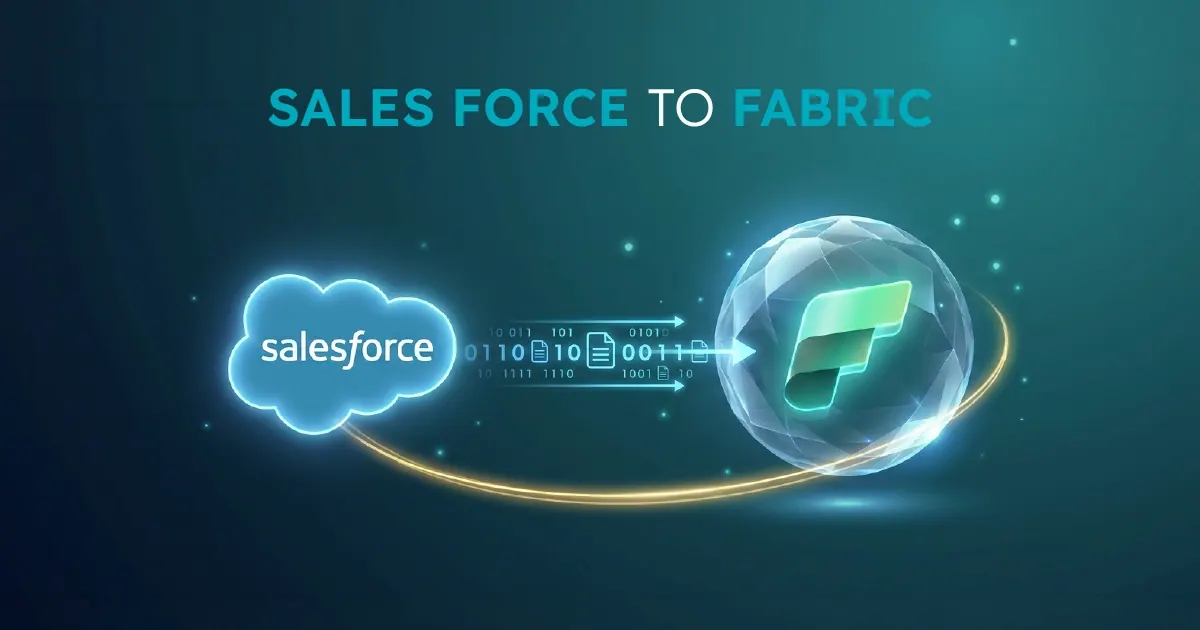
There are four real ways to integrate Salesforce with Fabric in 2026, and the right answer depends on whether you have Salesforce Data Cloud, your data volumes, and how much control you need over transformation. Salesforce Data Cloud Zero-Copy to Fabric OneLake is the strategic default for organisations that have it. For everyone else, a metadata-driven framework wrapping Salesforce's REST and Bulk APIs is the production-grade path.
This guide walks through the four approaches, when each one fits, and how we build Salesforce to Fabric integrations that hold up to custom-field sprawl, API limits, and the operational data quality realities every Salesforce org carries.
What Problem Does Salesforce to Fabric Solve?
Salesforce's native reporting is operational, not analytical.
Report Builder, dashboards, and Tableau CRM are competent for in-context queries: a sales manager checking pipeline health, a service team looking at case backlog, a sales rep reviewing their own activity. They are not built for the cross-functional analytical work most organisations actually need. Margin by customer joining Salesforce opportunities to ERP financial actuals. Customer health combining Salesforce service history with usage data from a separate product platform. Pipeline velocity correlated to marketing campaign attribution that lives in HubSpot or Marketo. None of these questions live inside Salesforce.
The other constraint is that heavy reporting against Salesforce competes with operational use. Sales teams running pipeline reviews at month-end, while analysts run aggregate revenue reports, while integrations sync data: Salesforce's API limits are real, and a heavy analytical workload against the operational org is a sustainability problem, not just an architectural preference.
A proper Salesforce to Fabric integration moves analytical work to a platform built for it. Salesforce continues to run the customer-facing process. Fabric holds a governed, modelled copy of the data, joined to your ERP, marketing automation, product analytics, and other systems, ready for the analytical questions that would overwhelm Salesforce or break against its API limits.
What You Need Before You Start
A Salesforce to Fabric integration has a small set of hard prerequisites.
A clear picture of which Salesforce objects you actually need. The standard Salesforce object model has dozens of objects, and every org has additional custom objects (anything ending in __c) plus hundreds or thousands of custom fields. Most analytical work uses 20 to 40 objects and a much smaller subset of fields than the full schema. Identifying which ones matter before you start is the largest factor in how fast the integration moves.
Salesforce API access and the right edition for your volume. Salesforce edition determines daily API call limits, which determines whether a heavy extraction is sustainable. Enterprise and Unlimited editions handle most volumes comfortably. Professional Edition has limited API access and may need Bulk API or different patterns to stay within limits.
A paid Fabric capacity. F2 or higher for evaluation. F4 to F16 for most mid-market production deployments. Salesforce extraction is typically scheduled rather than continuous, so capacity sizing is driven more by the downstream analytical workload than by the extraction itself.
Awareness of your custom-field footprint. Salesforce orgs accumulate custom fields continuously. A typical Enterprise org has hundreds; a mature Unlimited org can have thousands. The integration needs to be designed to absorb new custom fields as configuration rather than rebuild on every Salesforce change.
If any of these are missing, the integration will be slower and more expensive than it should be. Most first-time issues are around scoping (which objects and fields) and API limits (whether the extraction will stay within Salesforce's daily caps), not Fabric configuration.
The Four Ways to Integrate Salesforce with Fabric
There are four real integration patterns. The right choice depends on your Salesforce footprint, your Data Cloud status, and your control requirements.
Salesforce Data Cloud Zero-Copy to Fabric OneLake
The strategic default for organisations that have Salesforce Data Cloud. Zero-Copy data sharing, established through the Salesforce and Microsoft partnership announced in 2024, makes Data Cloud datasets available as OneLake shortcuts in Fabric without physical data movement. Performance is excellent because the data is queried in place. The integration is governance-aware because the Data Cloud sharing model enforces access controls. The trade-off is that you need Data Cloud, which most mid-market Salesforce customers do not have today.
Salesforce REST and Bulk APIs
The production-grade pattern for organisations without Data Cloud. A metadata-driven Fabric pipeline reads Salesforce objects through the REST API for smaller objects and the Bulk API 2.0 for high-volume objects. Incremental loads use the SystemModstamp field with a watermark table tracking the high-water mark per object. The custom-field surface is read dynamically from the metadata, so new fields appear automatically without pipeline changes. This is what we build for most mid-market clients.
Third-Party SaaS Connectors
Fivetran, Hightouch, Airbyte, and similar tools offer mature Salesforce connectors as managed services. Fast to start, predictable in operation, more expensive at scale, and less transparent about transformation logic. For organisations committed to Microsoft Fabric as a strategic platform, third-party connectors duplicate the orchestration layer Fabric already provides, and the recurring cost compounds. Use them where speed of initial delivery matters more than long-term cost or control.
Salesforce Connect with OData
Real-time external object federation, where Salesforce accesses external data without copying it. This is the inverse pattern to most integrations: data stays in the source, Salesforce queries it on demand. Useful for specific operational scenarios where Salesforce users need to see external data in their workflow. Rarely the right pattern for analytical use cases, where the data needs to be queryable from Fabric rather than from Salesforce.
For most mid-market Salesforce footprints in 2026, the right architecture is the REST and Bulk API pattern wrapped in a metadata-driven framework.
How to Build a Production Integration
A production Salesforce to Fabric integration has five components.
Configuration Metadata Table
A single table that defines every Salesforce object being integrated: the API type to use (REST or Bulk), the load type (full refresh or incremental), the incremental key (typically SystemModstamp or LastModifiedDate), the schedule, the fields to extract, and any transformation rules. The metadata table lives in a Fabric Warehouse and is the single source of truth for what the pipeline does. Adding a new Salesforce object is a metadata change. Adding a custom field is a metadata change. New Salesforce extensions become configuration, not code.
Orchestration Pipeline
A single Fabric Data Pipeline using the ForEach activity, reading the configuration table at the start and iterating across every row. The pipeline calls a parameterised sub-pipeline or notebook for each Salesforce object, regardless of whether the object is being read via REST or Bulk API. API limit management, error handling, logging, and observability are centralised.
Bronze Ingestion Notebook
A parameterised Python notebook that handles the actual extraction. It accepts the metadata row and chooses the right approach: REST API with SOQL queries for smaller objects, Bulk API 2.0 with asynchronous job submission for high-volume objects. The notebook handles Salesforce-specific concerns: API limit tracking, the isDeleted flag and soft delete handling, polymorphic relationships (where fields like Task.WhatId can reference multiple object types), record types, and multi-currency conversion if the org uses it. Incremental loads use SystemModstamp with a watermark table tracking the high-water mark per object.
Silver Transformation Layer
Salesforce's raw API responses are usable but not analytical. Silver flattens relationships, resolves polymorphic references into typed dimensions, decodes picklist values from their internal IDs to their display labels, applies record type and profile context where relevant, and unifies custom fields from the __c suffix into a consistent naming convention. Where the org has History tables for field-level audit, Silver consolidates them into change-tracking dimensions. The transformations are metadata-driven where the patterns repeat, with object-specific transformations where they do not.
Gold Layer
Business-ready, semantic-model-friendly tables. Conformed dimensions for accounts, contacts, users, products, dates, currencies, and territories. Fact tables for opportunities, opportunity history, activities, cases, and campaign responses. The business logic that turns Salesforce records into the sales and service metrics the business actually uses: pipeline velocity, win rate, sales cycle length, customer lifetime value, case resolution time. The Gold layer is what Power BI semantic models bind to through Direct Lake mode.
What Is the Strategic Point Most Organisations Miss?
The hardest part of a Salesforce to Fabric integration is not technical. It is data quality.
Salesforce is an operational system, and operational systems carry the data quality their users tolerate. Duplicate accounts because a sales rep created a new record rather than searching. Half-completed contacts because a free trial signup did not fill in the optional fields. Opportunities that have not been touched in 18 months but still sit in the open pipeline because nobody closes them out. Stage values that are technically valid but practically meaningless because the team uses them differently from how they were defined. Custom fields that meant one thing in 2019 and a completely different thing in 2024 because the business pivoted and nobody refactored.
Every Salesforce org has this. Naive integrations surface it directly into analytical reports, where the data quality problems become amplified. A pipeline coverage report that shows 8x coverage looks great until you realise half the pipeline is stale opportunities nobody believes will close.
The fix is at the Silver layer, not at the Salesforce source. Deduplication logic that survives the next time a duplicate is created. Stale opportunity flagging that surfaces what is actually current. Stage definitions that map team behaviour to canonical stages rather than trusting the raw values. Custom field meaning that is documented and version-controlled rather than left to the integration to interpret.
This is the part most organisations underestimate. The technical integration is the easy part now. The data quality and modelling layer that turns operational chaos into analytical truth is where the project lives or dies. For any organisation expecting their Salesforce data to drive board-level numbers, the investment in Silver is non-negotiable.
Who Will Get the Most From a Salesforce to Fabric Integration?
This integration is most relevant for organisations that:
- Run Salesforce as their primary CRM and have data that drives meaningful analytical or board-level reporting
- Have outgrown Salesforce's native reporting and Tableau CRM
- Need to join Salesforce to ERP, marketing automation, product analytics, fulfilment, or finance data in a unified analytical model
- Have a customisation footprint that will continue to evolve through custom fields, custom objects, and new business processes
- Hit Salesforce API limits with their current reporting load, or need to insulate operational performance from analytical workloads
- Are building toward a broader Fabric data platform and need Salesforce to be one of several governed sources
Organisations with a single small Salesforce org, no customisations, and basic reporting needs may be served adequately by Salesforce's built-in reports and dashboards. The case for a full integration scales with Salesforce complexity, customisation depth, and cross-system analytical ambition.
Why Work With Solv Systems on Salesforce to Fabric?
At Solv Systems, we build Salesforce to Microsoft Fabric integrations that hold up to custom-field sprawl, multi-org consolidation, and the data quality realities every Salesforce org carries.
Pattern-aware architecture. We pick the right approach for your Salesforce footprint: Data Cloud Zero-Copy where you have it, REST and Bulk APIs where you do not, hybrid where parts of the estate benefit from one and parts from the other. The decision is driven by your context, not by our preference.
Metadata-driven by default. Our standard framework absorbs Salesforce customisation as configuration. New custom objects, new custom fields, and new validation rules become metadata changes rather than pipeline rewrites. The framework survives the Salesforce evolution that would break a hard-coded integration.
Silver-layer data quality. Deduplication, stale record flagging, picklist normalisation, custom field semantic mapping, and stage taxonomy are all designed into the Silver layer as standard, not bolted on after the analytical team complains about the numbers.
Engineered, not just built. CI/CD via Azure DevOps, version-controlled transformations, environment separation, and operational runbooks come as standard. The integration is engineered for production support, not assembled for the first demo.
Salesforce Data Cloud vs Microsoft Fabric: Which Do You Need?
A question that comes up in almost every scoping call: "we already have Salesforce Data Cloud - do we still need Fabric?" They solve different problems, and the comparison matters because the answer shapes your whole architecture.
Salesforce Data Cloud is a customer data platform. It unifies customer profiles across Salesforce clouds and activates them inside the Salesforce ecosystem: segmentation, personalisation, and triggering journeys. It is excellent at that job and largely confined to it.
Microsoft Fabric is a general-purpose analytics platform. It brings every domain - CRM, finance, operations, supply chain - into one governed estate, with Power BI native on top and AI workloads running against the same data.
The practical decision framework:
- Choose Data Cloud when the goal is unified customer profiles and activation inside Salesforce
- Choose Fabric when you need cross-domain analytics: CRM pipeline joined to invoiced revenue, cost to serve, and operational data
- Most enterprises that have both run them together: Data Cloud for activation, Fabric as the analytics estate - and the Zero-Copy partnership described above means Data Cloud data can be queried from OneLake without duplication
In other words, it is rarely either/or. Data Cloud feeds the marketing engine; Fabric answers the questions the board asks. The full Data Cloud versus Fabric comparison covers the boundary in depth. Running HubSpot rather than Salesforce? Our HubSpot to Fabric integration guide covers the equivalent patterns.
Sources and Further Reading
- Salesforce developer documentation
- Fabric Data Factory documentation
- Microsoft Fabric documentation
- OneLake overview
Frequently asked
Salesforce Data Cloud is a customer data platform focused on unifying customer profiles and activating them inside the Salesforce ecosystem. Microsoft Fabric is a general-purpose analytics platform covering every business domain with Power BI native on top. Most enterprises use them together, with the Zero-Copy partnership letting Fabric query Data Cloud data from OneLake without duplication.
No. Data Cloud Zero-Copy is the strategic default if you already have Data Cloud, but most mid-market Salesforce customers do not. The REST and Bulk API pattern, wrapped in a metadata-driven framework, is production-grade for organisations without Data Cloud.
Not if it is designed properly. The Bulk API 2.0 is significantly more efficient than the REST API for high-volume objects, and the metadata-driven framework chooses the right path per object. For organisations with tight API budgets, we model expected daily API consumption against the org's edition limits as part of scoping.
Typically near-current, with extraction running on a schedule of every few hours for most analytical workloads. For real-time operational scenarios, Salesforce Platform Events or Change Data Capture can be combined with Fabric Eventstream to push changes into Fabric as they happen.
Yes. The metadata-driven framework treats custom objects identically to standard objects. Custom fields are configured in the metadata table and extracted automatically. Adding a new custom field to the integration is a metadata change, not a code change.
Yes. Multi-org consolidation is common for organisations that grew through acquisition or that run separate Salesforce orgs by region or business unit. The Silver and Gold layers handle this with an Org dimension and consistent unification logic across orgs.
Salesforce uses soft deletes via the isDeleted flag and retains records in the Recycle Bin for 15 days. The integration extracts deleted records along with active ones, so historical analyses include records that no longer exist in the live org. Hard deletes (records purged from the Recycle Bin) are handled through periodic full refreshes of small dimension objects.
The pattern is the same metadata-driven medallion architecture we apply to any multi-table source. The Bronze ingestion notebook is Salesforce-specific. The Silver layer addresses Salesforce-specific data quality concerns: picklists, polymorphic relationships, soft deletes, custom fields. The framework around them is shared with our other source integrations, which means an organisation running Salesforce alongside other systems gets a consistent architecture across all of them.