In Short: They Are Complementary, Not Competing
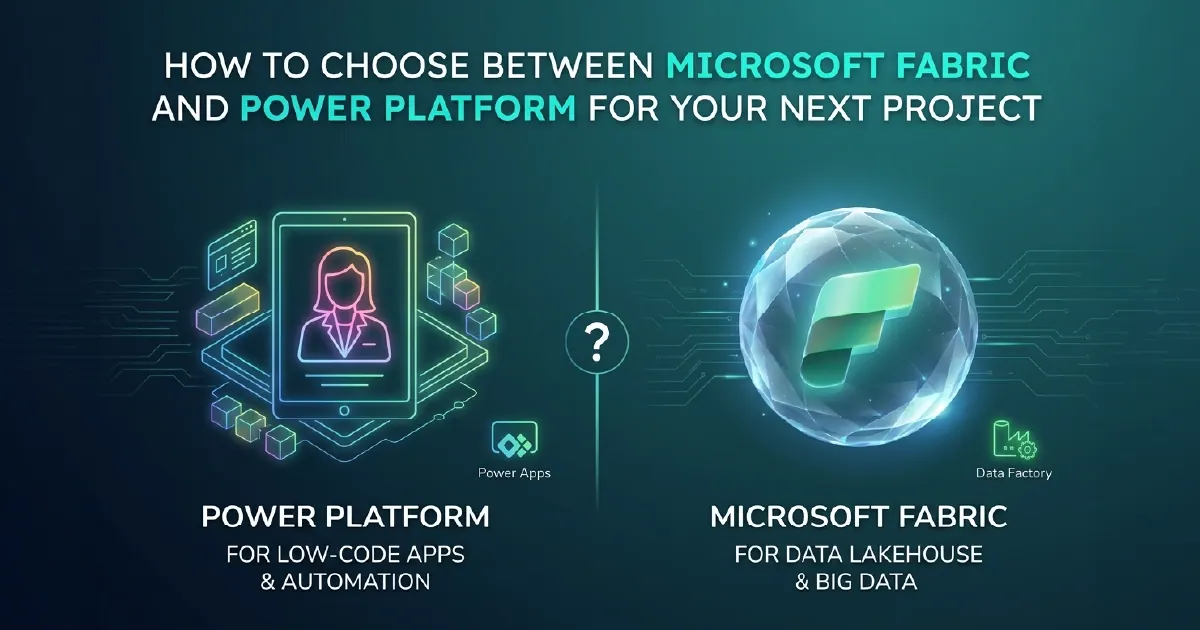
Microsoft Fabric and Microsoft Power Platform are not alternatives to each other - they are different layers of the Microsoft enterprise platform stack that serve different purposes and, when combined, address a broader range of business capability than either can alone.
Fabric is a data platform: it handles data ingestion, transformation, storage, analytics, and business intelligence at scale. Power Platform is a low-code application and automation platform: it handles process automation, data-connected app development, conversational AI, and workflow orchestration.
The right question is not "which one should I choose?" but rather "which layer does this specific requirement sit in?" In many projects, the answer involves both.
What Microsoft Fabric Does
Microsoft Fabric is designed for organisations that need to manage, transform, and analyse data at scale. Its core capability set covers:
- Data ingestion and integration: Pipelines and Dataflow Gen2 move data from hundreds of source systems into OneLake using a unified ingestion layer
- Data engineering: Spark-based Lakehouse environments for building Bronze, Silver, and Gold medallion layers at scale
- Data warehousing: Serverless SQL Warehouse for high-concurrency T-SQL analytics over structured data
- Real-time intelligence: Eventhouse, Eventstreams, and Activator for streaming data ingestion, KQL querying, and event-driven actions
- Power BI: The BI and visualisation layer, natively embedded in Fabric, consuming Gold-layer data through Direct Lake mode
- AI capabilities: Fabric IQ semantic grounding, Fabric Data Agents, and Microsoft Foundry integration for AI over enterprise data
Fabric's commercial model is capacity-based (F-SKUs), covering all workloads under a single meter.
What Microsoft Power Platform Does
Microsoft Power Platform is designed for organisations that need to build applications and automate processes without writing full custom software. Its core capability set covers:
- Power Apps: Low-code application development for canvas apps (flexible, custom UI) and model-driven apps (structured, data-model-first)
- Power Automate: Workflow automation connecting hundreds of services - triggering actions in response to events, scheduling recurring processes, building complex conditional logic without code
- Power BI: Shared with Fabric - the BI and reporting layer that sits at the intersection of both platforms
- Power Pages: Low-code external web portal development for customer-facing and partner-facing applications
- Copilot Studio: Conversational AI bot and agent development using natural language configuration, connecting to data sources and triggering Power Automate flows
Power Platform's commercial model is licence-based (per-user Power Apps licences, per-user or per-flow Power Automate licences, Copilot Studio messages).
Where Fabric and Power Platform Overlap
Power BI is the most significant overlap point. Power BI exists as both a Fabric workload (within a Fabric capacity) and a standalone Power Platform component (Power BI Pro/Premium Per User). Organisations without Fabric capacity can still use Power BI through Power Platform licensing. Organisations with Fabric capacity get Power BI as part of the Fabric platform, with the additional capability of Direct Lake mode for high-performance reporting over OneLake data.
Dataverse is a second overlap point. Power Apps uses Dataverse as its default data store, and Dataverse data can be mirrored into Fabric OneLake for analytics workloads that Power Apps alone cannot serve.
Copilot Studio and Fabric Data Agents are an emerging overlap. Copilot Studio agents can connect to Fabric data sources, and Fabric Data Agents can trigger Power Automate flows. The boundary between a Copilot Studio agent and a Fabric Data Agent is increasingly a design decision rather than a technical constraint.
When to Choose Microsoft Fabric
Choose Fabric when:
- You have complex data integration requirements - multiple source systems, large data volumes, transformation logic that requires Spark or SQL at scale
- You need a governed analytics foundation - medallion architecture, semantic models, enterprise-grade lineage and governance via Microsoft Purview
- Your reporting requirements involve large datasets - millions to billions of rows that DirectQuery cannot serve with adequate performance
- You are planning AI over enterprise data - Fabric IQ, Fabric Data Agents, or Foundry agent integration requires a well-structured OneLake foundation
- You need real-time analytics - streaming data ingestion, KQL querying, or event-driven alerting over operational data
Fabric is the right choice when the core challenge is data at scale - moving it, storing it, transforming it, governing it, and making it available for analytics and AI.
When to Choose Power Platform
Choose Power Platform when:
- You need a business application, not a report - forms, task management, approvals, workflow-driven processes
- The challenge is process automation - connecting systems, automating repetitive tasks, routing documents and approvals
- Your users need a no-code or low-code interface - business users building their own automations or apps without IT involvement
- You need a customer or partner-facing portal - Power Pages for external web applications backed by Dataverse
- You are building a conversational agent over a bounded knowledge domain - Copilot Studio for chatbot or agent interfaces that do not require complex data infrastructure
Power Platform is the right choice when the core challenge is process and application - building things users interact with directly, automating workflows, and connecting systems without custom development.
How Fabric and Power Platform Work Together
The most effective Microsoft platform architectures use both:
- Fabric provides the data foundation - governed, transformed, analytics-ready data in OneLake with semantic models on top
- Power BI delivers the reporting layer - consuming Fabric data through Direct Lake for high-performance, governed dashboards and reports
- Power Automate handles process triggers - responding to events, routing work, triggering actions in operational systems
- Power Apps provides the user interface - for processes that require more than a report (data entry, task management, approval workflows)
- Copilot Studio or Fabric Data Agents provide conversational intelligence - allowing users to interact with Fabric data through natural language
A common example: a Power BI report on Fabric data shows a KPI variance. A Fabric Data Agent detects the variance, reasons over supporting data to determine root cause, and triggers a Power Automate flow that creates a task in Microsoft Teams and notifies the relevant team. The business user logs into a Power App to action the task, which updates a Dataverse record that is mirrored back into Fabric for tracking.
This is not an unusual architecture - it is the natural outcome of using each platform for what it is designed for.
A Simple Decision Framework
When starting a new project, ask:
- Is the core challenge data volume, transformation, or analytics at scale? → Fabric
- Is the core challenge process, application, or workflow automation? → Power Platform
- Is the core challenge reporting and dashboards? → Power BI (lives in both)
- Does the project require both governed data infrastructure and user-facing processes? → Both, deliberately integrated
If you are unsure which layer your requirement sits in, our team works across both platforms and can help you assess the right architecture for your specific situation before you commit to a technical direction.
Sources and Further Reading
- Microsoft Fabric documentation
- Power Apps documentation
- Power Automate documentation
- Microsoft Copilot Studio documentation
Frequently asked
No. Microsoft Fabric and Power Platform are separate platform families within the Microsoft ecosystem. Fabric is a unified data and analytics platform (data engineering, warehousing, real-time analytics, Power BI). Power Platform is a low-code application and automation platform (Power Apps, Power Automate, Power Pages, Copilot Studio). Power BI sits at the intersection - it is available as a standalone Power Platform component and as a native workload within Fabric.
No. Fabric is a data platform - it handles data ingestion, transformation, storage, and analytics. Power Automate is a workflow automation platform - it connects systems, automates processes, and routes work. They serve different purposes. Fabric Data Agents can trigger Power Automate flows as part of an autonomous workflow, but Fabric does not replace the process automation capability that Power Automate provides.
No. Power Apps is a Power Platform product for building low-code applications. It is not part of Fabric. However, Power Apps uses Dataverse as its default data store, and Dataverse data can be mirrored into Fabric OneLake for analytics. Power Apps and Fabric are commonly used together in architectures where Power Apps handles the process and user interaction layer and Fabric handles the analytics layer.
Use Power Platform when the core challenge is process automation, application development, or conversational AI over a bounded knowledge domain - not data analytics at scale. Power Automate for workflow automation, Power Apps for business applications, Power Pages for external portals, Copilot Studio for conversational agents. Use Fabric when the challenge involves large-scale data integration, transformation, warehousing, or enterprise AI over a governed data estate.
Yes. Power BI is available through standalone Power BI Pro and Premium Per User licences that do not require Fabric capacity. Fabric capacity unlocks additional Power BI capabilities, most significantly Direct Lake mode (high-performance reporting over OneLake data without data import) and deeper integration with Fabric's data engineering and warehousing workloads. For organisations with modest data volumes and no Fabric data estate, standalone Power BI licences are often sufficient.
Copilot Studio agents are configured through a low-code interface in the Power Platform environment and are primarily designed for conversational use cases - answering questions, guiding users through processes, collecting information. Fabric Data Agents are natively integrated with the Fabric data estate and are primarily designed for autonomous data monitoring, analysis, and action. They can be used together: a Copilot Studio agent can surface insights generated by a Fabric Data Agent in a conversational interface.