In Short: Microsoft Fabric vs Azure Synapse in 2026
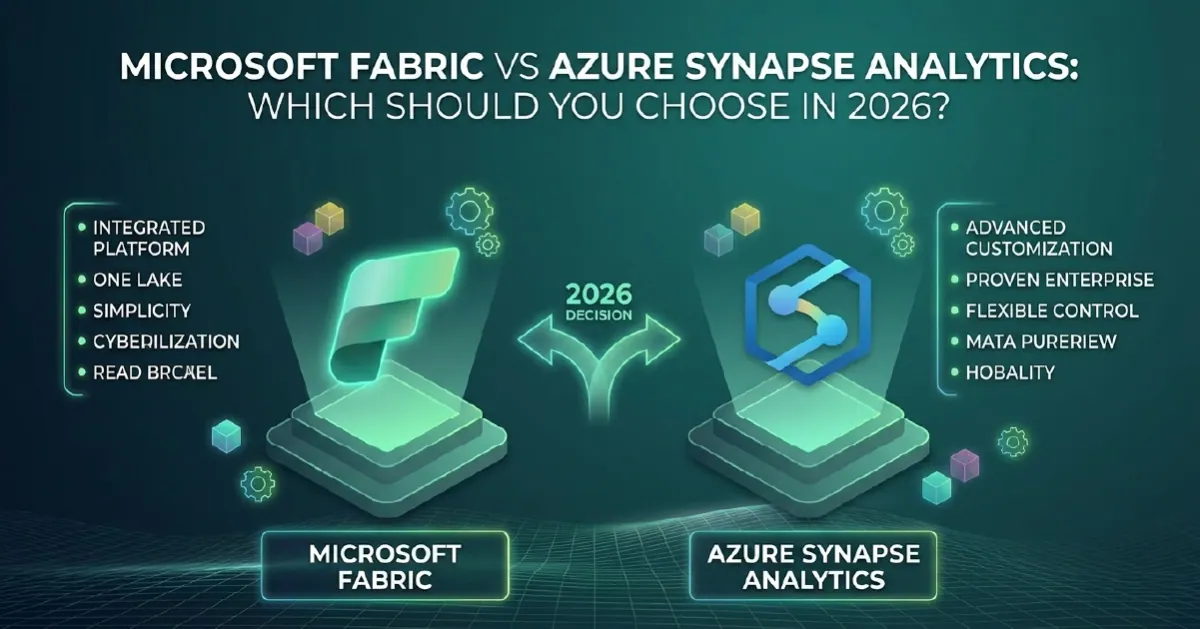
The Microsoft Fabric vs Azure Synapse decision is no longer a contest between equals. Fabric is where Microsoft's analytics investment is going, and Microsoft now ships guided tooling to move each Synapse workload across. Synapse has not been retired: dedicated SQL pools, serverless SQL, Spark pools and pipelines still run. Some Synapse components have already been retired or closed to new projects.
For most organisations the real question is not which platform to buy, but when and how to move an existing Synapse estate. New work belongs on Fabric. Existing Synapse workloads move on a timeline you choose, one workload at a time, following a Synapse to Fabric migration runbook rather than a single cutover.
Microsoft's Current Position on Synapse
Here is what Microsoft's own documentation says as of September 2026:
- No retirement date for Synapse as a whole. Microsoft has not announced one. Check Microsoft's lifecycle pages for the current position before you make a multi-year commitment either way.
- Synapse Data Explorer (Preview) was retired on 7 October 2025. Microsoft's guidance says workloads left on it are deleted along with their data, and recommends migrating to Eventhouse in Fabric.
- Synapse Link for Azure Cosmos DB is no longer supported for new projects. Microsoft points customers to Cosmos DB mirroring in Fabric, which is now generally available.
- Migration tooling has arrived for every major workload. It covers dedicated SQL pools, Spark, pipelines and, in preview, Synapse Mapping Data Flows, which is a clear signal of where Microsoft expects estates to end up.
The fair reading: Synapse is supported, but new capability is landing in Fabric. That includes OneLake, Direct Lake for Power BI, Copilot and data agents. Synapse is not getting those features.
Microsoft Fabric vs Azure Synapse: The Architectural Difference
Synapse is PaaS and component-based. Each engine is a separate resource with its own scaling, configuration and bill: dedicated SQL pools, serverless SQL, Apache Spark pools and pipelines. Storage is usually your own ADLS Gen2 account, and Spark pools need at least three nodes.
Fabric is SaaS and capacity-based. Every workload shares one storage layer, OneLake, and draws compute from one capacity. Delta is the default table format. A table written by a pipeline or notebook can be queried straight away by Spark, by T-SQL through the SQL analytics endpoint, and by Power BI in Direct Lake mode, with no copy in between. Fabric Spark also brings starter pools that start in seconds, single-node execution and a native execution engine that Synapse lacks.
The trade-off is control. Synapse lets you shape the infrastructure. Fabric removes most of that work, and with it some of the options: Fabric Spark does not support GPU pools, for example.
Workload-by-Workload Mapping
This is how each Synapse component maps to Fabric, with the tool Microsoft provides for the move:
- Dedicated SQL pool to Fabric Warehouse. The Fabric Migration Assistant for Data Warehouse migrates tables, views, functions, stored procedures and security objects. It works from a DACPAC file or a direct connection to the source (the direct connection is in preview). Copilot helps fix scripts that fail to convert, and copy job moves the data. Expect some T-SQL gaps: SQL authentication users must become Entra users, and some data types change, such as datetime becoming datetime2 and nvarchar becoming varchar.
- Serverless SQL pool to the SQL analytics endpoint over a lakehouse. There is no one-to-one migration tool here. The usual pattern is to point OneLake shortcuts at your existing lake files and rewrite the queries against the endpoint.
- Spark pools to Fabric Spark. A guided migration workflow, currently in public preview, copies Spark pools, notebooks, Spark job definitions and lake databases. It does not move the data itself. Code needs refactoring where it uses mssparkutils (notebookutils in Fabric), linked services or mount points. The preview cannot migrate VNet-bound workspaces, custom libraries or non-Delta tables.
- Synapse pipelines to pipelines in Data Factory in Fabric. The Integrate hub in Synapse Studio now has a Migrate to Fabric (Preview) option. It rates each pipeline Ready, Needs review, Coming soon or Not compatible, maps linked services to Fabric connections and migrates with triggers turned off. Migrate Spark items first so that notebook activities map correctly.
- Data Explorer to Eventhouse. A REST API based migration (preview) moves a whole cluster into a new Eventhouse. The old endpoints redirect for up to 90 days.
- Synapse Link to mirroring. Cosmos DB for NoSQL moves to Cosmos DB mirroring. MongoDB, Gremlin, Table and Cassandra APIs have no migration path yet, so Microsoft says to stay on Synapse Link for those. For Dataverse, the recommended route is Link to Microsoft Fabric.
Update, 29 September 2026: Microsoft announced at FabCon Europe 2026 a streamlined upgrade path to Fabric Data Factory that covers Synapse as well as Azure Data Factory. Starting from the View in Fabric (Preview) experience, you bring existing ADF and Synapse environments into a Fabric workspace while the original assets remain the source of truth, run a built-in assessment of which pipelines are ready, need review or depend on capabilities planned for future support, and then upgrade supported pipelines incrementally. Mapping Data Flow transforms in Dataflow Gen2 (preview) now extend to Azure Synapse Analytics, so Synapse pipelines and their Mapping Data Flows can move to Fabric with their visual transformation logic retained. For the data movement side, change data capture and SCD Type 2 in copy job are now generally available.
Pricing Model Differences
Synapse bills per engine. Dedicated SQL pools are charged per DWU-hour and can be paused. Serverless SQL is charged per terabyte of data processed. Spark pools are charged per vCore-hour. Pipelines are charged per activity run, per DIU-hour of data movement and per integration runtime hour. Each line moves on its own.
Fabric bills a capacity. You buy an F SKU and every workload consumes capacity units from it, with smoothing to absorb peaks. OneLake storage is billed separately. Spark can optionally use Autoscale Billing, a pay-as-you-go mode that feels closer to the Synapse model. Power BI viewing is included on larger capacities, which is often where the consolidation saving comes from.
Neither model is cheaper by default. An estate running Power BI, pipelines and Spark on separate meters usually consolidates well onto one capacity. A single well-tuned dedicated pool that is paused out of hours may not. For current F SKU prices and reservation discounts, see our Microsoft Fabric pricing guide, then model both options against your real usage.
When Staying on Synapse Is Still Reasonable
- The warehouse is stable and meeting its SLAs. Migration costs real effort and testing time, so it has to earn its place against other priorities.
- You depend on something Fabric does not replicate yet. Examples include GPU Spark pools, Synapse Link for non-NoSQL Cosmos DB APIs, or networking that the Spark migration preview cannot handle.
- T-SQL features you rely on are not supported in Fabric Warehouse yet. Check the Fabric T-SQL surface area before committing a date.
- A fixed contract or reservation runs for another year. Plan the move to land when it ends.
None of these reasons justify building anything new on Synapse. They justify a deliberate timeline.
How to Move When You Are Ready
Start new workloads on Fabric. Assess the Synapse estate with Microsoft's assessment tools, then move one workload at a time: typically pipelines and Spark first, dedicated SQL pools last. Run both platforms in parallel until the numbers reconcile.
Our Synapse to Fabric migration runbook covers each phase in full, from inventory through parallel running, validation and decommissioning.
Where Solv Systems Comes In
Our Microsoft Fabric consulting team can run a Synapse-to-Fabric assessment covering estate mapping, migration tooling fit, workload sequencing, capacity sizing and a costed plan. For typical budgets, see our Fabric implementation cost guides.
Sources and Further Reading
- Migration Assistant for Fabric Data Warehouse
- Plan your Synapse Spark migration to Fabric
- Upgrade your Azure Synapse Analytics pipelines to Fabric Data Factory
- Migrate from Azure Synapse Data Explorer to Fabric
- Migrate from Azure Synapse Link to Azure Cosmos DB mirroring in Microsoft Fabric
- Azure Synapse Analytics pricing
- Fabric September 2026 Feature Summary
Frequently asked
Not as a whole. Microsoft has not announced a retirement date for Azure Synapse Analytics, so dedicated SQL pools, serverless SQL, Spark pools and pipelines continue to run. Specific components have been retired or closed to new use: Synapse Data Explorer (Preview) was retired on 7 October 2025, and Synapse Link for Azure Cosmos DB is no longer supported for new projects. Check Microsoft's lifecycle pages for the current position before making a long-term commitment.
Synapse is a PaaS service where each engine - dedicated SQL pool, serverless SQL, Spark pools, pipelines - is a separate resource with its own scaling and billing, usually over your own ADLS Gen2 storage. Fabric is a SaaS platform where every workload shares OneLake storage and draws from one capacity, so data written by one engine is available to Spark, SQL and Power BI without copying.
Dedicated SQL pools map to Fabric Warehouse, serverless SQL queries to the SQL analytics endpoint over a lakehouse (often using OneLake shortcuts to existing storage), Spark pools to Fabric Spark, Synapse pipelines to pipelines in Data Factory in Fabric, Synapse Data Explorer to Eventhouse, and Synapse Link to Fabric mirroring or Fabric Link for Dataverse.
The Fabric Migration Assistant for Data Warehouse converts dedicated SQL pool schemas and code (from a DACPAC or a direct connection, the latter in preview) and uses copy job to move data. A Spark migration workflow, in public preview, copies Spark pools, notebooks, Spark job definitions and lake databases. Synapse Studio has a Migrate to Fabric (Preview) option for pipelines, and Microsoft provides a REST API based migration from Synapse Data Explorer to Eventhouse.
It depends on the workload mix. Synapse bills each engine separately: dedicated SQL pools per DWU-hour, serverless SQL per terabyte processed, Spark per vCore-hour and pipelines per activity run and data movement. Fabric bills a capacity (an F SKU) that every workload shares, plus OneLake storage. Estates with Power BI and several engines often consolidate well onto one capacity; a single, well-tuned warehouse that is paused out of hours may not. Model both before deciding.
When the estate is stable and meeting its SLAs, when it depends on something Fabric does not yet replicate (such as GPU Spark pools, VNet-bound workspaces the Spark migration preview cannot handle, or Synapse Link for Cosmos DB APIs other than NoSQL), or when a migration would compete with a higher business priority. Put new work on Fabric and plan the move deliberately rather than urgently.